
Title
Attention Anonymous User!Your download speed is severely restricted. Registered users download at full speed without waiting. Register now!

Stirlinga PDF v. 3.0.1
Office & Documentsv. 3.0.1

Original Descriptions
🇱🇻Latvian
🇷🇺Russian
🇬🇧English
Instant Translation
🇩🇪Deutsch
🇪🇸Español
🇫🇷Français
🇪🇪Eesti
🇱🇹Lietuvių
🇵🇱Polski
🇺🇦Українська
🇮🇹Italiano
🇵🇹Português
🇫🇮Suomi
🇸🇪Svenska
🇳🇴Norsk
🇨🇳中文
🇯🇵日本語
Operating System
Windows
1110
Architecture
64-bit (x64)
Apraksts
Stirlinga PDF ir visaptveroša, jaudīga un lokāli darbināma PDF dokumentu pārvaldības sistēma, kas izstrādāta, lai nodrošinātu pilnīgu kontroli pār jūsu sensitīvajiem datiem. Versija 3.0.1 ievieš uzlabotus drošības protokolus, paātrinātu dokumentu apstrādi un paplašinātu rīku klāstu, ļaujot lietotājiem bez piepūles rediģēt, konvertēt, sapludināt, sadalīt un parakstīt PDF failus tieši savā darbvirsmatā bez nepieciešamības pēc aktīva interneta savienojuma.
Programmatūra apvieno intuitīvu lietotāja saskarni ar profesionāla līmeņa funkcijām, padarot to par ideālu risinājumu gan individuāliem lietotājiem, gan uzņēmumiem, kam nepieciešama droša un uzticama dokumentu apstrāde. Pateicoties pilnībā bezsaistes arhitektūrai, visi konfidenciālie dokumenti paliek jūsu lokālajā ierīcē, pilnībā novēršot datu noplūdes risku trešo pušu mākoņpakalpojumos.
Galvenās Funkcijas
- Pilnīga bezsaistes funkcionalitāte: Strādājiet ar visiem PDF rīkiem pilnīgi bezsaistē, garantējot maksimālu datu konfidencialitāti.
- Visaptveroša dokumentu rediģēšana: Apvienojiet, sadaliet, rotējiet un pārkārtojiet PDF lapas ar dažiem klikšķiem.
- Formatēšanas un konvertēšanas rīki: Ātri konvertējiet PDF uz attēliem, Word, Excel vai citiem populāriem formātiem un otrādi.
- Drošība un parakstīšana: Pievienojiet ūdenszīmes, paroles, digitālos parakstus un veiciet dokumentu šifrēšanu lokāli.
- OCR un teksta atpazīšana: Izmantojiet iebūvēto optisko rakstzīmju atpazīšanu, lai padarītu skenētos PDF dokumentus meklējamus.
How to Install / Run
- 1Lejupielādējiet oficiālo Stirlinga PDF instalācijas pakotni no vietnes.
- 2Palaidiet instalēšanas programmu un izpildiet ekrānā redzamos norādījumus, lai iestatītu lietojoni.
- 3Atveriet Stirlinga PDF darbvirsmas lietotni un sāciet droši pārvaldīt savus PDF dokumentus.
Plusi / Priekšrocības
- Pilnībā lokāla apstrāde nodrošina augstāko datu drošības līmeni
- Plaša rīku un funkciju daudzveidība vienuviet bez maksas
- Ātra un efektīva darbība bez nepieciešamības pēc interneta pieslēguma
- Atbalsts ļoti plašam lietotāja saskarnes valodu lokam
Mīnusi / Ierobežojumi
- Sākotnējā instalācija var aizņemt vairāk vietas pilnvērtīgo bezsaistes bibliotēku dēļ
- Ļoti lielu failu partijas apstrāde var patērēt ievērojamus datora resursus
Описание
Stirlinga PDF — это комплексная, мощная и локально управляемая система работы с PDF-документами, созданная для обеспечения полного контроля над вашими конфиденциальными данными. Версия 3.0.1 представляет улучшенные протоколы безопасности, ускоренную обработку документов и расширенный набор инструментов, позволяя пользователям легко редактировать, конвертировать, объединять, разделять и подписывать PDF-файлы прямо на рабочем столе без необходимости подключения к интернету.
Программа сочетает в себе интуитивно понятный пользовательский интерфейс и возможности профессионального уровня, что делает её идеальным решением как для индивидуальных пользователей, так и для организаций, которым требуется безопасная и надежная обработка документов. Благодаря полностью автономной архитектуре все конфиденциальные файлы остаются на вашем локальном устройстве, полностью исключая риски утечки данных через сторонние облачные сервисы.
Ключевые Особенности
- Полная автономная функциональность: Работайте со всеми инструментами PDF полностью офлайн, гарантируя максимальную конфиденциальность данных.
- Комплексное редактирование документов: Объединяйте, разделяйте, поворачивайте и переупорядочивайте страницы PDF всего в несколько кликов.
- Инструменты форматирования и конвертации: Быстро преобразуйте PDF в изображения, Word, Excel или другие популярные форматы и обратно.
- Безопасность и подписание: Добавляйте водяные знаки, пароли, цифровые подписи и применяйте шифрование документов локально.
- OCR и распознавание текста: Используйте встроенное распознавание символов для поиска текста в отсканированных PDF-документах.
How to Install / Run
- 1Загрузите официальный установочный пакет Stirlinga PDF с сайта.
- 2Запустите программу установки и следуйте инструкциям на экране для завершения настройки.
- 3Запустите настольное приложение Stirlinga PDF и начните безопасно управлять своими документами.
Преимущества (Плюсы)
- Полностью локальная обработка гарантирует высший уровень безопасности данных
- Широкий спектр инструментов и функций в одном бесплатном решении
- Быстрая и эффективная работа без необходимости подключения к сети
- Обширная поддержка множества языков интерфейса
Недостатки (Минусы)
- Первоначальная установка может занимать больше места на диске из-за автономных библиотек
- Пакетная обработка чрезвычайно больших файлов может потреблять значительные системные ресурсы
Description
Stirlinga PDF is a comprehensive, powerful, and locally operated PDF document management system engineered to provide complete control over your sensitive data. Version 3.0.1 introduces enhanced security protocols, accelerated document processing, and an expanded suite of tools, empowering users to effortlessly edit, convert, merge, split, and sign PDF files directly on their desktop without requiring an active internet connection.
The software combines an intuitive user interface with professional-grade capabilities, making it an ideal solution for both individual users and enterprises demanding secure and reliable document handling. Thanks to its fully offline architecture, all confidential documents remain securely on your local device, completely eliminating the risk of data leakage via third-party cloud services.
Key Features
- Complete Offline Functionality: Work with all PDF tools entirely offline, ensuring maximum data privacy and security.
- Comprehensive Document Editing: Merge, split, rotate, and rearrange PDF pages with just a few clicks.
- Formatting and Conversion Tools: Quickly convert PDFs to images, Word, Excel, or other popular formats and vice versa.
- Security and Signing: Add watermarks, passwords, digital signatures, and apply document encryption locally.
- OCR and Text Recognition: Leverage built-in optical character recognition to make scanned PDF documents searchable.
How to Install / Run
- 1Download the official Stirlinga PDF installer package from the website.
- 2Run the setup program and follow the on-screen instructions to complete the installation.
- 3Launch the Stirlinga PDF desktop application and begin managing your PDF documents securely.
Advantages (Pros)
- Fully local processing ensures the highest level of data security
- Wide variety of tools and features consolidated in a single free solution
- Fast and efficient performance without requiring an internet connection
- Extensive support for a multitude of interface languages
Disadvantages (Cons)
- Initial installation may require more disk space due to comprehensive offline libraries
- Batch processing of extremely large files may consume significant system resources
Description
Stirlinga PDF is a comprehensive, powerful, and locally operated PDF document management system engineered to provide complete control over your sensitive data. Version 3.0.1 introduces enhanced security protocols, accelerated document processing, and an expanded suite of tools, empowering users to effortlessly edit, convert, merge, split, and sign PDF files directly on their desktop without requiring an active internet connection.
The software combines an intuitive user interface with professional-grade capabilities, making it an ideal solution for both individual users and enterprises demanding secure and reliable document handling. Thanks to its fully offline architecture, all confidential documents remain securely on your local device, completely eliminating the risk of data leakage via third-party cloud services.
Key Features
- Complete Offline Functionality: Work with all PDF tools entirely offline, ensuring maximum data privacy and security.
- Comprehensive Document Editing: Merge, split, rotate, and rearrange PDF pages with just a few clicks.
- Formatting and Conversion Tools: Quickly convert PDFs to images, Word, Excel, or other popular formats and vice versa.
- Security and Signing: Add watermarks, passwords, digital signatures, and apply document encryption locally.
- OCR and Text Recognition: Leverage built-in optical character recognition to make scanned PDF documents searchable.
How to Install / Run
- 1Download the official Stirlinga PDF installer package from the website.
- 2Run the setup program and follow the on-screen instructions to complete the installation.
- 3Launch the Stirlinga PDF desktop application and begin managing your PDF documents securely.
Advantages (Pros)
- Fully local processing ensures the highest level of data security
- Wide variety of tools and features consolidated in a single free solution
- Fast and efficient performance without requiring an internet connection
- Extensive support for a multitude of interface languages
Disadvantages (Cons)
- Initial installation may require more disk space due to comprehensive offline libraries
- Batch processing of extremely large files may consume significant system resources
Description
Stirlinga PDF is a comprehensive, powerful, and locally operated PDF document management system engineered to provide complete control over your sensitive data. Version 3.0.1 introduces enhanced security protocols, accelerated document processing, and an expanded suite of tools, empowering users to effortlessly edit, convert, merge, split, and sign PDF files directly on their desktop without requiring an active internet connection.
The software combines an intuitive user interface with professional-grade capabilities, making it an ideal solution for both individual users and enterprises demanding secure and reliable document handling. Thanks to its fully offline architecture, all confidential documents remain securely on your local device, completely eliminating the risk of data leakage via third-party cloud services.
Key Features
- Complete Offline Functionality: Work with all PDF tools entirely offline, ensuring maximum data privacy and security.
- Comprehensive Document Editing: Merge, split, rotate, and rearrange PDF pages with just a few clicks.
- Formatting and Conversion Tools: Quickly convert PDFs to images, Word, Excel, or other popular formats and vice versa.
- Security and Signing: Add watermarks, passwords, digital signatures, and apply document encryption locally.
- OCR and Text Recognition: Leverage built-in optical character recognition to make scanned PDF documents searchable.
How to Install / Run
- 1Download the official Stirlinga PDF installer package from the website.
- 2Run the setup program and follow the on-screen instructions to complete the installation.
- 3Launch the Stirlinga PDF desktop application and begin managing your PDF documents securely.
Advantages (Pros)
- Fully local processing ensures the highest level of data security
- Wide variety of tools and features consolidated in a single free solution
- Fast and efficient performance without requiring an internet connection
- Extensive support for a multitude of interface languages
Disadvantages (Cons)
- Initial installation may require more disk space due to comprehensive offline libraries
- Batch processing of extremely large files may consume significant system resources
LICENSE PERMISSIONS & LEGAL REFERENCE
- Public Distribution Permission: OFFICIALLY PERMITTED TO REDISTRIBUTE (100% Legal Release)
(Guaranteed rights to freely download, copy, and share in unmodified form under open-source / freeware terms). - License Model & Status: MIT License.
- Official Distribution Permission: Under the official Stirlinga PDF license (MIT), this software is free and permits unrestricted downloading and distribution.
- Official Project Homepage: https://www.stirlingpdf.com.
- Exact License & Terms Link: https://opensource.org/licenses/MIT.
- Official License Registry (Alternative Legal Source): https://www.stirlingpdf.com.
Images
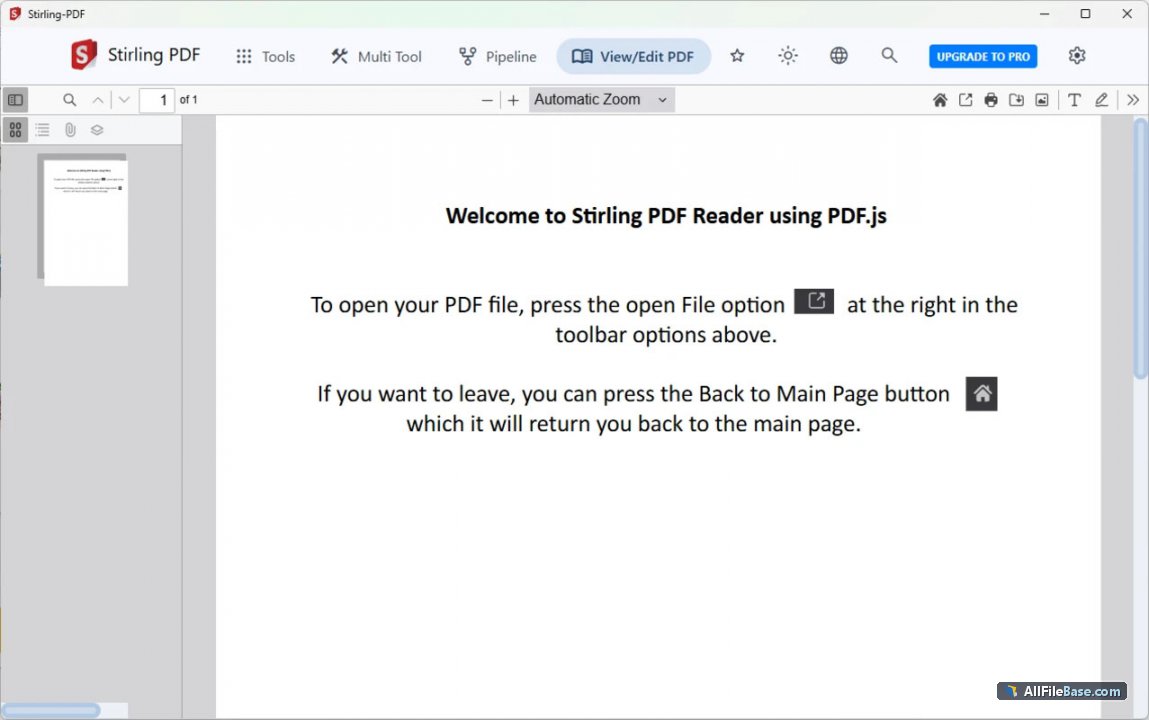
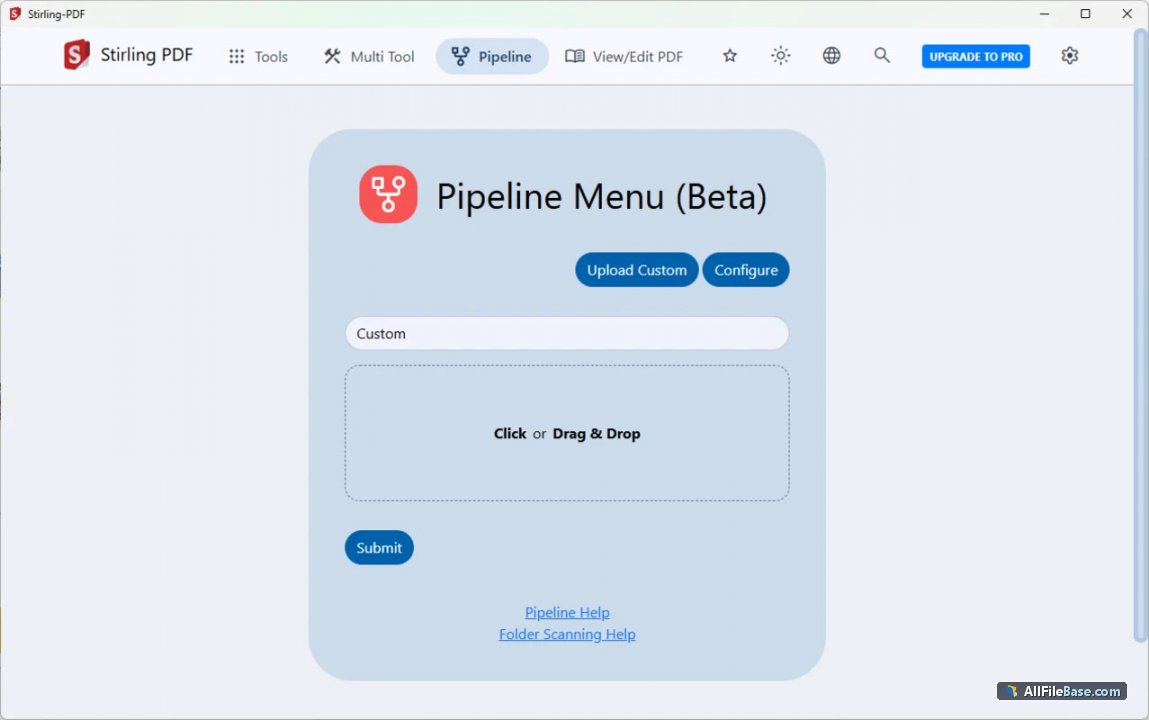
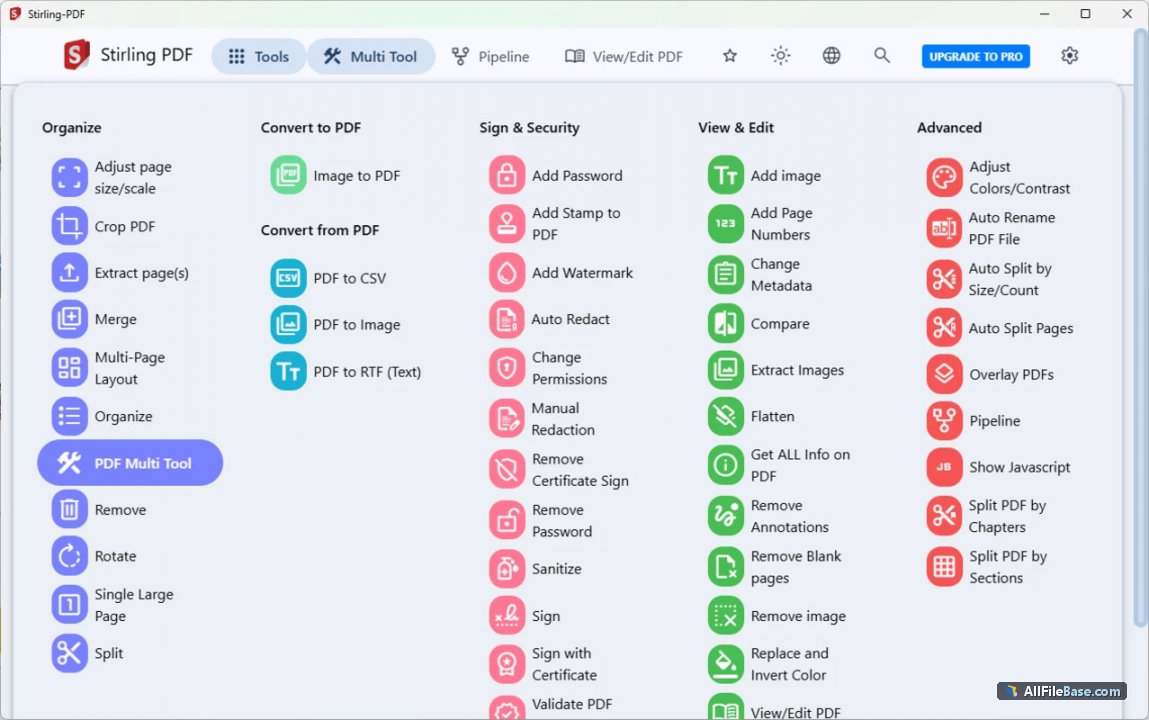
Similar / Other Versions
No similar torrents found.
Technical Specifications
- DeveloperStirling-PDF, Inc.
- Release Date27.09.2026
- Operating SystemWindows1110
- Architecture64-bit (x64)
- Release FormatSetup / Installer
- Languages🌍🇱🇻🇷🇺🇬🇧🇺🇦🇩🇪🇫🇷
- Official Homepagestirlingpdf.com
- filesView (1)
System Requirements
- Processor (CPU)2.0 GHz or faster processor
- Memory (RAM)4 GB
- Free Disk Space500 MB
- Graphics Card (GPU)Standard display (No dedicated GPU required)
Rating
None
Said thanks
📢 Advertisement[+]
Want to be seen by everyone?Place your ad here using your site balance! The perfect spot to promote your releases, clan, or links.Your text ad here!Grab this spot using your accumulated balance and get noticed.VPNMost people overpay for a VPN without realising it. CometVPN starts from just $1.89/month — same privacy, same security, same speeds as the big names. Just without the big price tag.
+ Add your advertisement
📂 files (1)
×
| Path | Size |
|---|---|
| stirling-pdf-3-0-1.msi | 313.99 MB |
❮
×
![]()
❯
Share on Facebook
Choose the image you want to see in your Facebook post:
Choose which image you want to see in your Facebook post and click "Share this image":
 Screenshot 1
 Screenshot 2
 Screenshot 3
 Screenshot 4
Facebook will automatically load the selected image in your post preview!
Facebook will automatically load the chosen image in the post preview.
🌐 All Supported Languages 48
🇬🇧
English
EN
🇿🇦
Afrikaans
AF
🇪🇹
Amharic
አማርኛ
AM
🇸🇦
Arabic
العربية
AR
🇦🇲
Armenian
Հայերեն
HY
🇧🇾
Belarusian
Беларуская
BE
🇧🇬
Bulgarian
Български
BG
🇪🇸
Catalan
Català
CA
🇨🇳
Chinese
中文
ZH
🇭🇷
Croatian
Hrvatski
HR
🇨🇿
Czech
Čeština
CS
🇩🇰
Danish
Dansk
DA
🇳🇱
Dutch
Nederlands
NL
🇪🇪
Estonian
Eesti
ET
🇮🇷
Persian
فارسی
FA
🇫🇮
Finnish
Suomi
FI
🇫🇷
French
Français
FR
🇩🇪
German
Deutsch
DE
🇬🇷
Greek
Ελληνικά
EL
🇮🇱
Hebrew
עברית
HE
🇮🇳
Hindi
हिन्दी
HI
🇭🇺
Hungarian
Magyar
HU
🇮🇸
Icelandic
Íslenska
IS
🇮🇩
Indonesian
Bahasa Indonesia
ID
🇮🇹
Italian
Italiano
IT
🇯🇵
Japanese
日本語
JA
🇰🇿
Kazakh
Қазақша
KK
🇰🇷
Korean
한국어
KO
🇱🇻
Latvian
Latviešu
LV
🇱🇹
Lithuanian
Lietuvių
LT
🇲🇾
Malay
Bahasa Melayu
MS
🇳🇴
Norwegian
Norsk
NO
🇵🇱
Polish
Polski
PL
🇵🇹
Portuguese
Português
PT
🇷🇴
Romanian
Română
RO
🇷🇺
Russian
Русский
RU
🇷🇸
Serbian
Srpski
SR
🇸🇰
Slovak
Slovenčina
SK
🇸🇮
Slovenian
Slovenščina
SL
🇪🇸
Spanish
Español
ES
🇰🇪
Swahili
Kiswahili
SW
🇸🇪
Swedish
Svenska
SV
🇵🇭
Filipino
FIL
🇹🇭
Thai
ไทย
TH
🇹🇷
Turkish
Türkçe
TR
🇺🇦
Ukrainian
Українська
UK
🇻🇳
Vietnamese
Tiếng Việt
VI
🇿🇦
Zulu
isiZulu
ZU
No matching languages found
Total supported languages: 48