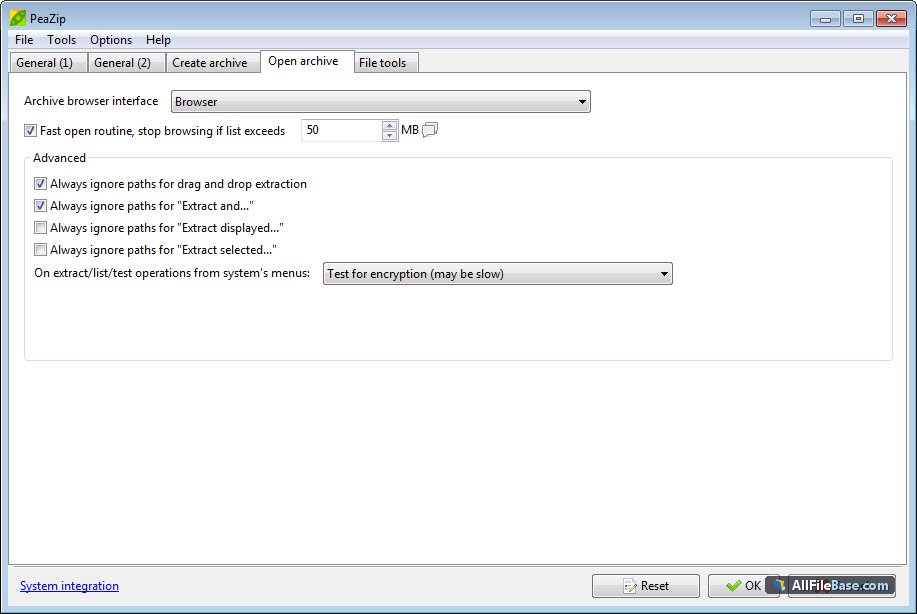
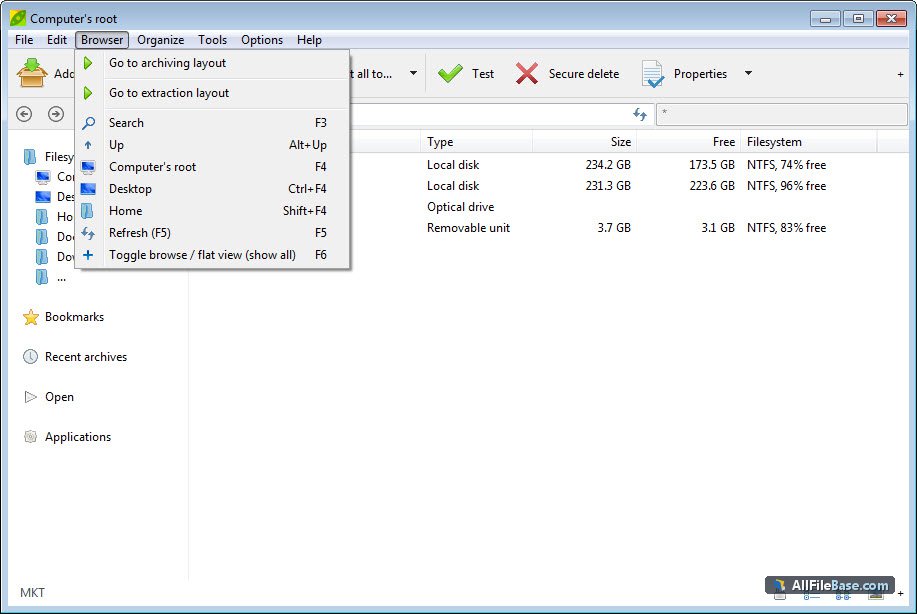
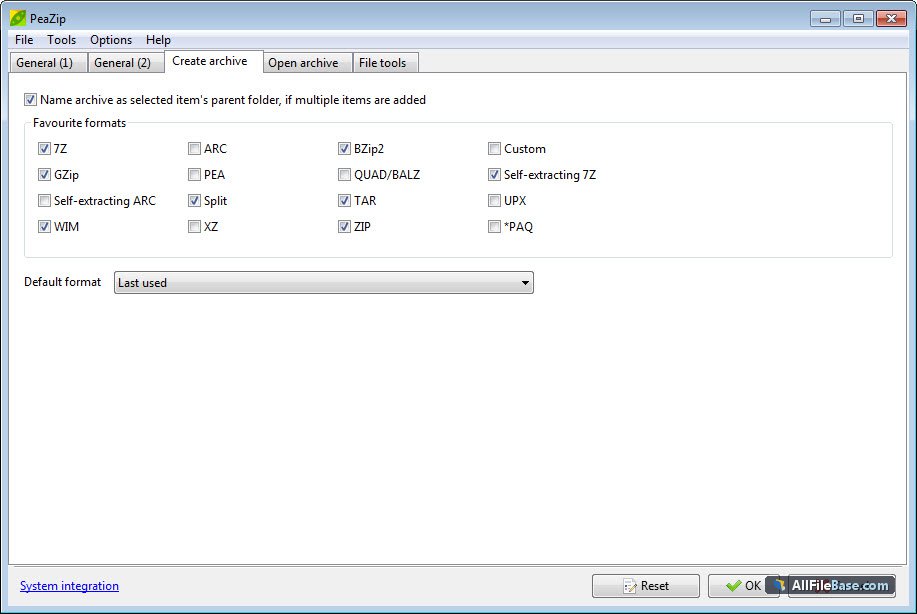
PeaZip ir jaudīgs, bezmaksas un atvērtā pirmkoda failu pārvaldnieks un arhīvu veidotājs, kas paredzēts operētājsistēmai Microsoft Windows (64 bitu versijā). Šis rīks piedāvā visaptverošu atbalstu vairāk nekā 200 failu formātiem, tostarp populārajiem 7Z, ZIP, RAR, TAR, GZ un pašam patentētajam PEA formātam, kas nodrošina augsta līmeņa šifrēšanu un integritātes pārbaudes. Lietotne ir izstrādāta, izmantojot Free Pascal un Lazarus vidi, un tā apvieno intuitīvu grafisko saskarni ar spēcīgām failu apstrādes spējām. Pateicoties integrētajam offline instalatoram, šo pakotni var pilnībā uzstādīt bez aktīva interneta pieslēguma, padarot to par ideālu izvēli drošām un izolētām darba vidēm. PeaZip piedāvā uzlabotas failu pārlūkošanas funkcijas, drošu datu dzēšanu, failu sadalīšanu un apvienošanu, kā arī integrāciju Windows konteksta izvēlnē, kas ievērojami paātrina ikdienas failu arhivēšanas un atarhivēšanas procesus.
Galvenās Funkcijas
Plašs formātu atbalsts:Atbalsta vairāk nekā 200 arhīvu formātus, tostarp 7Z, ZIP, TAR, RAR, ISO un citus bez papildu spraudņu instalēšanas.
Droša šifrēšana:Nodrošina spēcīgu autentificētu šifrēšanu (AES-256) un failu integritātes pārbaudes shēmas datu aizsardzībai.
Offline instalēšana:Pilna autonoma instalācijas pakotne, kas ļauj veikt uzstādīšanu bez interneta savienojuma.
Integrācija sistēmā:Nemanāmi integrējas Windows operētājsistēmas konteksta izvēlnē ātrai arhīvu izveidei un izvilkšanai.
Papildu rīki:Ietver drošu failu dzēšanu, dublēšanas skriptu ģenerēšanu un arhīvu integritātes testēšanas rīkus.
How to Install / Run
1
Pārliecinieties, ka jūsu sistēma atbilst Windows 64 bitu prasībām.
2
Palaidiet oficiālo PeaZip offline instalēšanas failu.
3
Izpildiet ekrānā redzamos norādījumus, lai pabeigtu instalēšanu un sāktu darbu.
Plusi / Priekšrocības
Brīmatstarptautiska programmatūra ar atvērtu pirmkodu bez slēptām izmaksām.
Ātra un efektīva darbība pat ar ļoti lieliem arhīviem un failu kopām.
Ērta sistēmas integrācija un daudzvalodu atbalsts.
Pilnībā autonoms offline instalators drošai lietošanai.
Mīnusi / Ierobežojumi
Dažiem ļoti specifikciem vai retiem formātiem var būt tikai lasīšanas atbalsts.
Saskarne var šķist pārpildīta lietotājiem, kas pieraduši pie vienkāršākiem rīkiem.
Описание
PeaZip — это мощный, бесплатный файловый менеджер и архиватор с открытым исходным кодом для Microsoft Windows (64-bit). Программа предлагает комплексную поддержку более чем 200 форматов архивов, включая популярные 7Z, ZIP, RAR, TAR, GZ, а также собственный формат PEA с поддержкой гибкого аутентифицированного шифрования и проверки целостности. Разработанный на базе Free Pascal и среды Lazarus, PeaZip объединяет понятный интерфейс и расширенные возможности управления файлами. Благодаря автономному офлайн-установщику, этот пакет позволяет произвести полную установку без необходимости подключения к интернету, что делает его идеальным выбором для изолированных и корпоративных сред. PeaZip предоставляет пользователям инструменты для безопасного удаления файлов, пакетной обработки, разделения и объединения архивов, а также интеграцию в контекстное меню Windows для быстрой работы.
Ключевые Особенности
Поддержка сотен форматов:Работа более чем с 200 архивными форматами (7Z, ZIP, RAR, TAR, ISO и др.) без необходимости установки сторонних плагинов.
Надежное шифрование:Поддержка безопасного шифрования AES-256 и гибких схем проверки целостности данных.
Автономный офлайн-установщик:Полный инсталлятор для установки программного обеспечения без подключения к сети интернет.
Интеграция в оболочку Windows:Удобный доступ к функциям сжатия и извлечения через контекстное меню проводника.
Дополнительные инструменты:Включает функции безопасного удаления (шредирования), поиска дубликатов и проверки контрольных сумм.
How to Install / Run
1
Убедитесь, что ваша система использует 64-битную версию Windows.
2
Запустите скачанный автономный офлайн-файл установки PeaZip.
3
Следуйте инструкциям мастера установки для завершения настройки программы.
Преимущества (Плюсы)
Полностью бесплатный продукт с открытым исходным кодом без рекламы.
Высокая скорость работы и низкое потребление системных ресурсов.
Автономный установщик для развертывания в офлайн-среде.
Кроссплатформенный подход к интерфейсу и богатый выбор локализаций.
Недостатки (Минусы)
Для некоторых редких или проприетарных форматов доступно только извлечение.
Обилие продвинутых настроек может потребовать времени на освоение новичками.
Description
PeaZip is a robust, free, and open-source file manager and archiver designed for Microsoft Windows (64-bit). It provides comprehensive support for over 200 archive formats, including popular standards like 7Z, ZIP, TAR, RAR, and GZ, alongside its native PEA format which emphasizes flexible authenticated encryption and advanced integrity checks. Developed using Free Pascal and Lazarus, PeaZip combines a clean, user-friendly graphical interface with advanced file management workflows. Featuring a fully standalone offline installer, this package allows complete setup without requiring an active internet connection, making it ideal for air-gapped or restricted network environments. PeaZip empowers users with secure file deletion, batch processing capabilities, archive splitting and merging, and seamless Windows context menu integration, streamlining everyday file compression and extraction tasks efficiently.
Key Features
Extensive Format Support:Native handling for over 200 archive formats including 7Z, ZIP, RAR, TAR, WIM, and ISO without requiring external plugins.
Advanced Security & Encryption:Offers powerful authenticated encryption (AES-256) and flexible integrity checking schemes to protect sensitive data.
Standalone Offline Installer:Complete offline setup package enabling installation without needing an internet connection.
Shell Integration:Integrates smoothly into the Windows context menu for instant file compression, extraction, and archiving actions.
Ensure your system runs a compatible 64-bit version of Microsoft Windows.
2
Launch the standalone PeaZip offline installation executable.
3
Follow the setup wizard prompts to complete installation and start managing archives.
Advantages (Pros)
100% free and open-source software with no adware or hidden paywalls.
Lightweight resource usage and fast processing speeds for large archives.
Fully self-contained offline installer for secure deployments.
Extensive localization and customizable interface options.
Disadvantages (Cons)
Some proprietary or rare archive formats have extraction-only support.
Advanced options layout might overwhelm casual or novice users.
Description
PeaZip is a robust, free, and open-source file manager and archiver designed for Microsoft Windows (64-bit). It provides comprehensive support for over 200 archive formats, including popular standards like 7Z, ZIP, TAR, RAR, and GZ, alongside its native PEA format which emphasizes flexible authenticated encryption and advanced integrity checks. Developed using Free Pascal and Lazarus, PeaZip combines a clean, user-friendly graphical interface with advanced file management workflows. Featuring a fully standalone offline installer, this package allows complete setup without requiring an active internet connection, making it ideal for air-gapped or restricted network environments. PeaZip empowers users with secure file deletion, batch processing capabilities, archive splitting and merging, and seamless Windows context menu integration, streamlining everyday file compression and extraction tasks efficiently.
Key Features
Extensive Format Support:Native handling for over 200 archive formats including 7Z, ZIP, RAR, TAR, WIM, and ISO without requiring external plugins.
Advanced Security & Encryption:Offers powerful authenticated encryption (AES-256) and flexible integrity checking schemes to protect sensitive data.
Standalone Offline Installer:Complete offline setup package enabling installation without needing an internet connection.
Shell Integration:Integrates smoothly into the Windows context menu for instant file compression, extraction, and archiving actions.
Ensure your system runs a compatible 64-bit version of Microsoft Windows.
2
Launch the standalone PeaZip offline installation executable.
3
Follow the setup wizard prompts to complete installation and start managing archives.
Advantages (Pros)
100% free and open-source software with no adware or hidden paywalls.
Lightweight resource usage and fast processing speeds for large archives.
Fully self-contained offline installer for secure deployments.
Extensive localization and customizable interface options.
Disadvantages (Cons)
Some proprietary or rare archive formats have extraction-only support.
Advanced options layout might overwhelm casual or novice users.
Description
PeaZip is a robust, free, and open-source file manager and archiver designed for Microsoft Windows (64-bit). It provides comprehensive support for over 200 archive formats, including popular standards like 7Z, ZIP, TAR, RAR, and GZ, alongside its native PEA format which emphasizes flexible authenticated encryption and advanced integrity checks. Developed using Free Pascal and Lazarus, PeaZip combines a clean, user-friendly graphical interface with advanced file management workflows. Featuring a fully standalone offline installer, this package allows complete setup without requiring an active internet connection, making it ideal for air-gapped or restricted network environments. PeaZip empowers users with secure file deletion, batch processing capabilities, archive splitting and merging, and seamless Windows context menu integration, streamlining everyday file compression and extraction tasks efficiently.
Key Features
Extensive Format Support:Native handling for over 200 archive formats including 7Z, ZIP, RAR, TAR, WIM, and ISO without requiring external plugins.
Advanced Security & Encryption:Offers powerful authenticated encryption (AES-256) and flexible integrity checking schemes to protect sensitive data.
Standalone Offline Installer:Complete offline setup package enabling installation without needing an internet connection.
Shell Integration:Integrates smoothly into the Windows context menu for instant file compression, extraction, and archiving actions.
Ensure your system runs a compatible 64-bit version of Microsoft Windows.
2
Launch the standalone PeaZip offline installation executable.
3
Follow the setup wizard prompts to complete installation and start managing archives.
Advantages (Pros)
100% free and open-source software with no adware or hidden paywalls.
Lightweight resource usage and fast processing speeds for large archives.
Fully self-contained offline installer for secure deployments.
Extensive localization and customizable interface options.
Disadvantages (Cons)
Some proprietary or rare archive formats have extraction-only support.
Advanced options layout might overwhelm casual or novice users.
LICENSE PERMISSIONS & LEGAL REFERENCE
Public Distribution Permission:OFFICIALLY PERMITTED TO REDISTRIBUTE (100% Legal Release)
(Guaranteed rights to freely download, copy, and share in unmodified form under open-source / freeware terms).
License Model & Status:GNU Lesser General Public License v3.0 or later.
Official Distribution Permission:Under the official peazip 11 3 0 WIN64 exe license (LGPL-3.0-or-later), this software is free and permits unrestricted downloading and distribution.