
Title
Attention Anonymous User!Your download speed is severely restricted. Registered users download at full speed without waiting. Register now!
Audacity v. 4.0.0
Video Editing & Playersv. 4.0.0

Original Descriptions
🇱🇻Latvian
🇷🇺Russian
🇬🇧English
Instant Translation
🇩🇪Deutsch
🇪🇸Español
🇫🇷Français
🇪🇪Eesti
🇱🇹Lietuvių
🇵🇱Polski
🇺🇦Українська
🇮🇹Italiano
🇵🇹Português
🇫🇮Suomi
🇸🇪Svenska
🇳🇴Norsk
🇨🇳中文
🇯🇵日本語
Operating System
Windows
1110
Architecture
64-bit (x64)
Apraksts
Audacity 4.0.0 ir visaptveroša un profesionāla audio ierakstīšanas un apstrādes lietotne, ko izstrādājusi Audacity Team un Muse Group. Šī versija piedāvā uzlabotus rīkus daudzceliņu ierakstīšanai, rediģēšanai un skaņas efektu lietošanai, padarot to par neaizstājamu rīku gan podkāstu veidotājiem, gan mūziķiem un skaņu inženieriem. Programmatūra atbalsta plašu audio formātu klāstu, nodrošinot augstu elastību un darba plūsmas efektivitāti.
Galvenās Funkcijas
- Daudzceliņu audio rediģēšana: Iespēja vienlaikus strādāt ar vairākiem audio celiņiem, veikt sarežģītus miksus un montāžu.
- Paplašināts efektu klāsts: Reāllaika efekti, spraudņu atbalsts (VST, LADSPA, LV2) un uzlaboti trokšņu slāpēšanas rīki.
- Atvērtais pirmkods un bezmaksas: Pilnībā bezmaksas rīks ar aktīvu izstrādātāju un lietotāju kopienu.
- Augstas izšķirtspējas atbalsts: Iespēja apstrādāt augstas kvalitātes audio failus ar dažādiem bitu dziļumiem un paraugu ņemšanas frekvencēm.
- Intuitīvs lietotāja interfeiss: Modernizēts un pielāgojams interfeiss ērtai darba plūsmai un navigācijai.
How to Install / Run
- 1Lejupielādējiet oficiālo Audacity instalācijas pakotni no droša avota.
- 2Palaidiet instalētāju un sekojiet ekrānā redzamajiem norādījumiem.
- 3Atveriet Audacity no savas sistēmas lietotņu izvēlnes un sāciet jaunu audio projektu.
Plusi / Priekšrocības
- Pilnīgi bezmaksas un atvērtā pirmkoda programmatūra bez slēptām izmaksām
- Plaša spraudņu un papildinājumu saderība
- Uzticama un stabila darbība lieliem audio projektiem
Mīnusi / Ierobežojumi
- Sākotnējā saskarne var prasīt laiku apguvei iesācējiem
- Ierobežotas uzlabotās video sinhronizācijas iespējas salīdzinājumā ar specializētām DAW programmām
Описание
Audacity 4.0.0 — это комплексное и профессиональное приложение для записи и редактирования аудио, разработанное The Audacity Team и Muse Group. Эта версия предлагает улучшенные инструменты для многодорожечной записи, точного редактирования и применения звуковых эффектов, что делает его незаменимым инструментом как для создателей подкастов, так и для музыкантов и звуoreжиссеров. Программа поддерживает широкий спектр аудиоформатов, обеспечивая высокую гибкость и эффективность рабочего процесса.
Ключевые Особенности
- Многодорожечное редактирование: Возможность одновременной работы с несколькими аудиодорожками для создания сложных миксов и монтажа.
- Расширенный набор эффектов: Эффекты в реальном времени, поддержка плагинов (VST, LADSPA, LV2) и улучшенные инструменты шумоподавления.
- Открытый исходный код и бесплатно: Полностью бесплатное ПО с активным сообществом разработчиков и пользователей.
- Поддержка высокого разрешения: Возможность обработки высококачественных аудиофайлов с различной разрядностью и частотой дискретизации.
- Интуитивный пользовательский интерфейс: Модернизированный и настраиваемый интерфейс для удобной работы и быстрой навигации.
How to Install / Run
- 1Загрузите официальный установочный пакет Audacity из доверенного источника.
- 2Запустите установщик и следуйте инструкциям на экране.
- 3Запустите Audacity из меню приложений вашей системы и приступите к новому аудиопроекту.
Преимущества (Плюсы)
- Полностью бесплатное программное обеспечение с открытым исходным кодом без скрытых платежей
- Широкая совместимость с плагинами для расширения функционала
- Надежная и стабильная работа при обработке крупных аудиопроектов
Недостатки (Минусы)
- Интерфейс и функции могут потребовать времени на освоение новичками
- Ограниченные возможности расширенной синхронизации видео по сравнению со специализированными DAW
Description
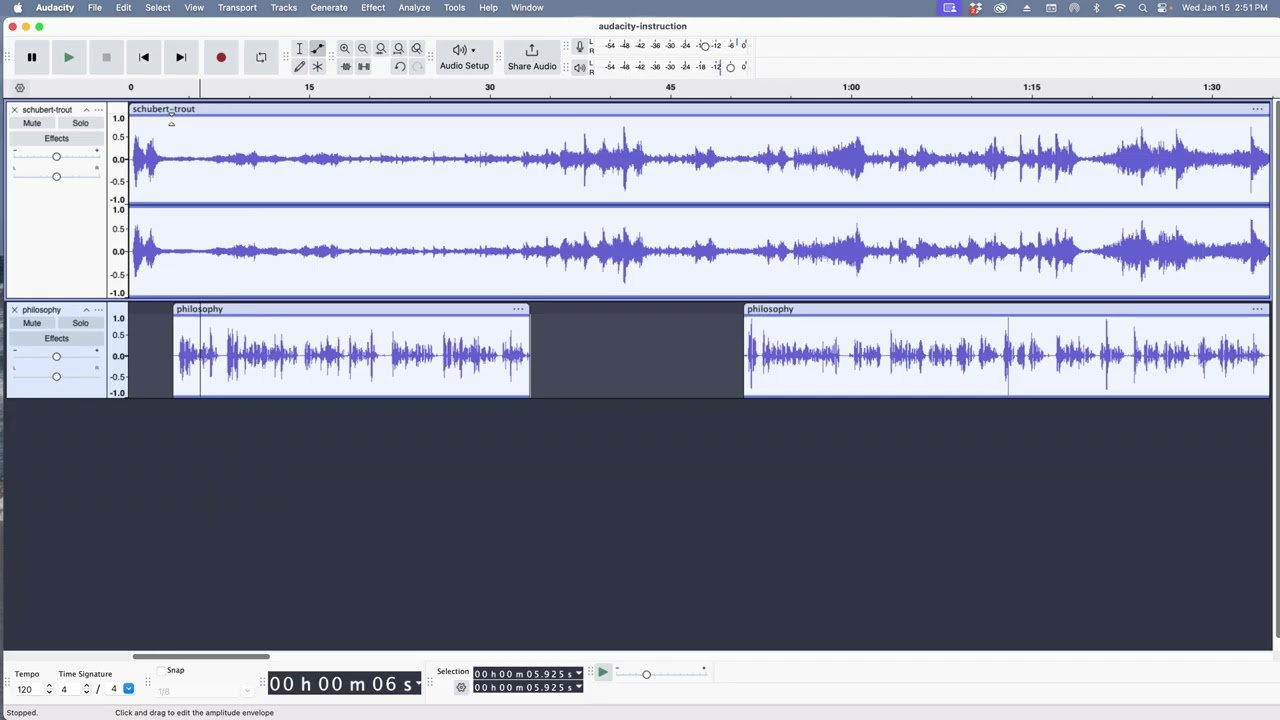
Audacity 4.0.0 is a comprehensive and professional audio recording and editing application developed by The Audacity Team and Muse Group. This version brings enhanced tools for multitrack recording, precise editing, and advanced audio effects application, making it an indispensable tool for podcasters, musicians, and sound engineers alike. The software supports a wide array of audio formats, ensuring high flexibility and seamless workflow efficiency.
Key Features
- Multitrack Audio Editing: Ability to work with multiple audio tracks simultaneously, performing complex mixes and seamless splicing.
- Extended Effects Suite: Real-time effects, robust plugin support (VST, LADSPA, LV2), and advanced noise reduction tools.
- Open Source and Free: Completely free-to-use software backed by an active developer and user community.
- High-Resolution Support: Capability to process high-fidelity audio files with various bit depths and sampling frequencies.
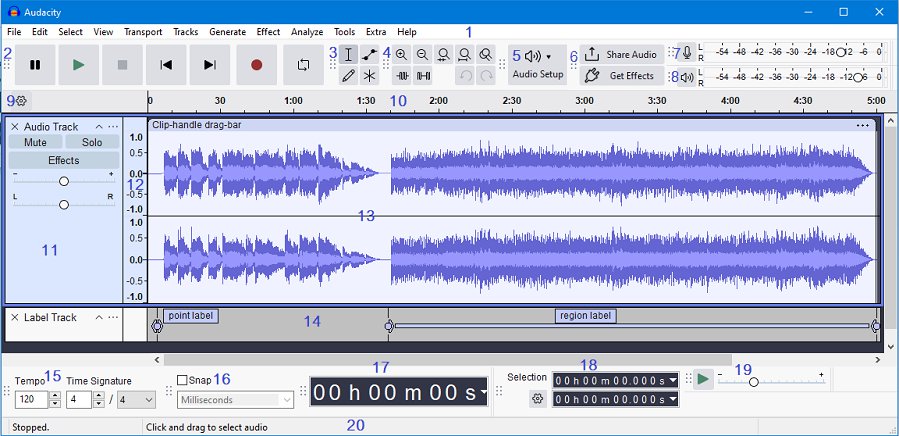
- Intuitive User Interface: Modernized and customizable interface for streamlined workflows and quick navigation.
How to Install / Run
- 1Download the official Audacity installation package from a trusted source.
- 2Run the installer executable and follow the on-screen setup prompts.
- 3Launch Audacity from your system application menu and start your first audio project.
Advantages (Pros)
- Completely free and open-source with no hidden fees or subscriptions
- Extensive plugin compatibility for expanded functionality
- Reliable and stable performance for large audio projects
Disadvantages (Cons)
- The initial learning curve can be steep for absolute beginners
- Limited advanced video-to-audio synchronization features compared to specialized DAWs
Description
Audacity 4.0.0 is a comprehensive and professional audio recording and editing application developed by The Audacity Team and Muse Group. This version brings enhanced tools for multitrack recording, precise editing, and advanced audio effects application, making it an indispensable tool for podcasters, musicians, and sound engineers alike. The software supports a wide array of audio formats, ensuring high flexibility and seamless workflow efficiency.
Key Features
- Multitrack Audio Editing: Ability to work with multiple audio tracks simultaneously, performing complex mixes and seamless splicing.
- Extended Effects Suite: Real-time effects, robust plugin support (VST, LADSPA, LV2), and advanced noise reduction tools.
- Open Source and Free: Completely free-to-use software backed by an active developer and user community.
- High-Resolution Support: Capability to process high-fidelity audio files with various bit depths and sampling frequencies.
- Intuitive User Interface: Modernized and customizable interface for streamlined workflows and quick navigation.
How to Install / Run
- 1Download the official Audacity installation package from a trusted source.
- 2Run the installer executable and follow the on-screen setup prompts.
- 3Launch Audacity from your system application menu and start your first audio project.
Advantages (Pros)
- Completely free and open-source with no hidden fees or subscriptions
- Extensive plugin compatibility for expanded functionality
- Reliable and stable performance for large audio projects
Disadvantages (Cons)
- The initial learning curve can be steep for absolute beginners
- Limited advanced video-to-audio synchronization features compared to specialized DAWs
Description
Audacity 4.0.0 is a comprehensive and professional audio recording and editing application developed by The Audacity Team and Muse Group. This version brings enhanced tools for multitrack recording, precise editing, and advanced audio effects application, making it an indispensable tool for podcasters, musicians, and sound engineers alike. The software supports a wide array of audio formats, ensuring high flexibility and seamless workflow efficiency.
Key Features
- Multitrack Audio Editing: Ability to work with multiple audio tracks simultaneously, performing complex mixes and seamless splicing.
- Extended Effects Suite: Real-time effects, robust plugin support (VST, LADSPA, LV2), and advanced noise reduction tools.
- Open Source and Free: Completely free-to-use software backed by an active developer and user community.
- High-Resolution Support: Capability to process high-fidelity audio files with various bit depths and sampling frequencies.
- Intuitive User Interface: Modernized and customizable interface for streamlined workflows and quick navigation.
How to Install / Run
- 1Download the official Audacity installation package from a trusted source.
- 2Run the installer executable and follow the on-screen setup prompts.
- 3Launch Audacity from your system application menu and start your first audio project.
Advantages (Pros)
- Completely free and open-source with no hidden fees or subscriptions
- Extensive plugin compatibility for expanded functionality
- Reliable and stable performance for large audio projects
Disadvantages (Cons)
- The initial learning curve can be steep for absolute beginners
- Limited advanced video-to-audio synchronization features compared to specialized DAWs
LICENSE PERMISSIONS & LEGAL REFERENCE
- Public Distribution Permission: OFFICIALLY PERMITTED TO REDISTRIBUTE (100% Legal Release)
(Guaranteed rights to freely download, copy, and share in unmodified form under open-source / freeware terms). - License Model & Status: GNU General Public License v2.0 or later.
- Official Distribution Permission: Under the official Audacity license (GPL-2.0-or-later), this software is free and permits unrestricted downloading and distribution.
- Official Project Homepage: https://www.audacityteam.org.
- Exact License & Terms Link: https://www.gnu.org/licenses/gpl-2.0.html.
- Official License Registry (Alternative Legal Source): https://www.gnu.org/licenses/gpl-2.0.html.
Images
Similar / Other Versions
No similar torrents found.
Technical Specifications
- DeveloperThe Audacity Team / Muse Group
- Release Date03.09.2026
- Operating SystemWindows1110
- Architecture64-bit (x64)
- Release FormatSetup / Installer Portable
- Languages🌍🇷🇺🇬🇧🇺🇦🇩🇪🇫🇷🇪🇸
- Official Homepageaudacityteam.org
- filesView (1)
System Requirements
- Processor (CPU)2 GHz or faster
- Memory (RAM)4 GB
- Free Disk Space2 GB
- Graphics Card (GPU)Standard display (No dedicated GPU required)
Rating
None
Said thanks
📢 Advertisement[+]
VPNMost people overpay for a VPN without realising it. CometVPN starts from just $1.89/month — same privacy, same security, same speeds as the big names. Just without the big price tag.Want to be seen by everyone?Place your ad here using your site balance! The perfect spot to promote your releases, clan, or links.Your text ad here!Grab this spot using your accumulated balance and get noticed.
+ Add your advertisement
📂 files (1)
×
| Path | Size |
|---|---|
| Audacity_Installer_via_MuseHub.exe | 34.10 MB |
❮
×
![]()
❯
Share on Facebook
Choose the image you want to see in your Facebook post:
Choose which image you want to see in your Facebook post and click "Share this image":
 Screenshot 1
 Screenshot 2
 Screenshot 3
Facebook will automatically load the selected image in your post preview!
Facebook will automatically load the chosen image in the post preview.
🌐 All Supported Languages 42
🇿🇦
Afrikaans
AF
🇸🇦
Arabic
العربية
AR
🇧🇾
Belarusian
Беларуская
BE
🇧🇬
Bulgarian
Български
BG
🇪🇸
Catalan
Català
CA
🇨🇳
Chinese (Simplified)
简体中文
ZH-CN
🇹🇼
Chinese (Traditional)
繁體中文
ZH-TW
🇭🇷
Croatian
Hrvatski
HR
🇨🇿
Czech
Čeština
CS
🇩🇰
Danish
Dansk
DA
🇳🇱
Dutch
Nederlands
NL
🇬🇧
English
EN
🇪🇸
Basque
Euskara
EU
🇫🇮
Finnish
Suomi
FI
🇫🇷
French
Français
FR
🇪🇸
Galician
Galego
GL
🇩🇪
German
Deutsch
DE
🇬🇷
Greek
Ελληνικά
EL
🇮🇱
Hebrew
עברית
HE
🇭🇺
Hungarian
Magyar
HU
🇮🇩
Indonesian
Bahasa Indonesia
ID
🇮🇹
Italian
Italiano
IT
🇯🇵
Japanese
日本語
JA
🇰🇷
Korean
한국어
KO
🇱🇹
Lithuanian
Lietuvių
LT
🇲🇰
Macedonian
Македонски
MK
🇲🇾
Malay
Bahasa Melayu
MS
🇳🇴
Norwegian
Norsk
NO
🇮🇷
Persian
فارسی
FA
🇵🇱
Polish
Polski
PL
🇧🇷
Portuguese (Brazil)
Português (Brasil)
PT-BR
🇵🇹
Portuguese
Português
PT
🇷🇴
Romanian
Română
RO
🇷🇺
Russian
Русский
RU
🇷🇸
Serbian
Srpski
SR
🇸🇰
Slovak
Slovenčina
SK
🇸🇮
Slovenian
Slovenščina
SL
🇪🇸
Spanish
Español
ES
🇸🇪
Swedish
Svenska
SV
🇹🇷
Turkish
Türkçe
TR
🇺🇦
Ukrainian
Українська
UK
🇻🇳
Vietnamese
Tiếng Việt
VI
No matching languages found
Total supported languages: 42