
Title
Attention Anonymous User!Your download speed is severely restricted. Registered users download at full speed without waiting. Register now!
LibreOffice v. 26.8.0
Office & Documentsv. 26.8.0

Original Descriptions
🇱🇻Latvian
🇷🇺Russian
🇬🇧English
Instant Translation
🇩🇪Deutsch
🇪🇸Español
🇫🇷Français
🇪🇪Eesti
🇱🇹Lietuvių
🇵🇱Polski
🇺🇦Українська
🇮🇹Italiano
🇵🇹Português
🇫🇮Suomi
🇸🇪Svenska
🇳🇴Norsk
🇨🇳中文
🇯🇵日本語
Operating System
Windows
11108/8.17
Architecture
64-bit (x64)
Apraksts
LibreOffice ir jaudīga un pilnveidota bezmaksas biroja programmatūras pakotne, ko izstrādājusi The Document Foundation un kas kalpo kā lieliska alternatīva komerciālajiem biroja rīkiem. Tā piedāvā plašu lietojumprogrammu klāstu teksta apstrādei, izklājlapām, prezentācijām, vektorgrafikai, datubāžu pārvaldībai un matemātisko formulu rediģēšanai, padarot to par universālu risinājumu gan privātpersonām, gan uzņēmumiem un izglītības iestādēm.
Programmatūra izceļas ar lielisku savietojumu ar dažādiem failu formātiem, pilnībā atbalstot atvērto OpenDocument formātu (ODF), kā arī nodrošinot nevainojamu Microsoft Office failu (DOCX, XLSX, PPTX) atvēršanu, rediģēšanu un saglabāšanu. Pateicoties aktīvajai izstrādātāju kopienai, LibreOffice pastāvīgi saņem drošības atjauninājumus, lietojamības uzlabojumus un jaunas funkcijas.
Galvenās Funkcijas
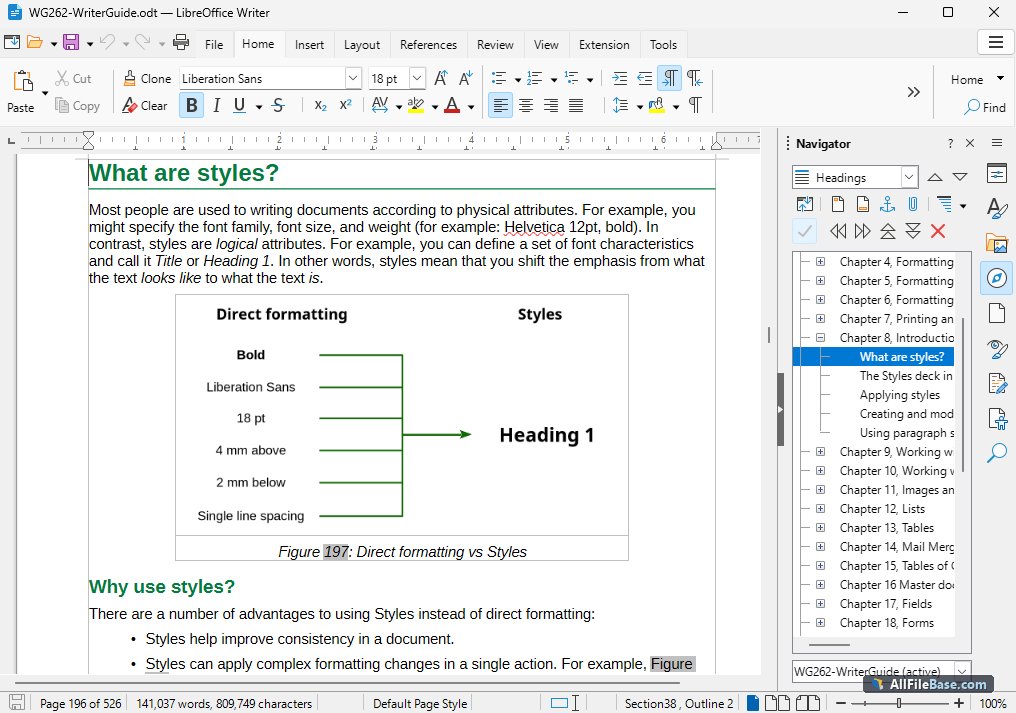
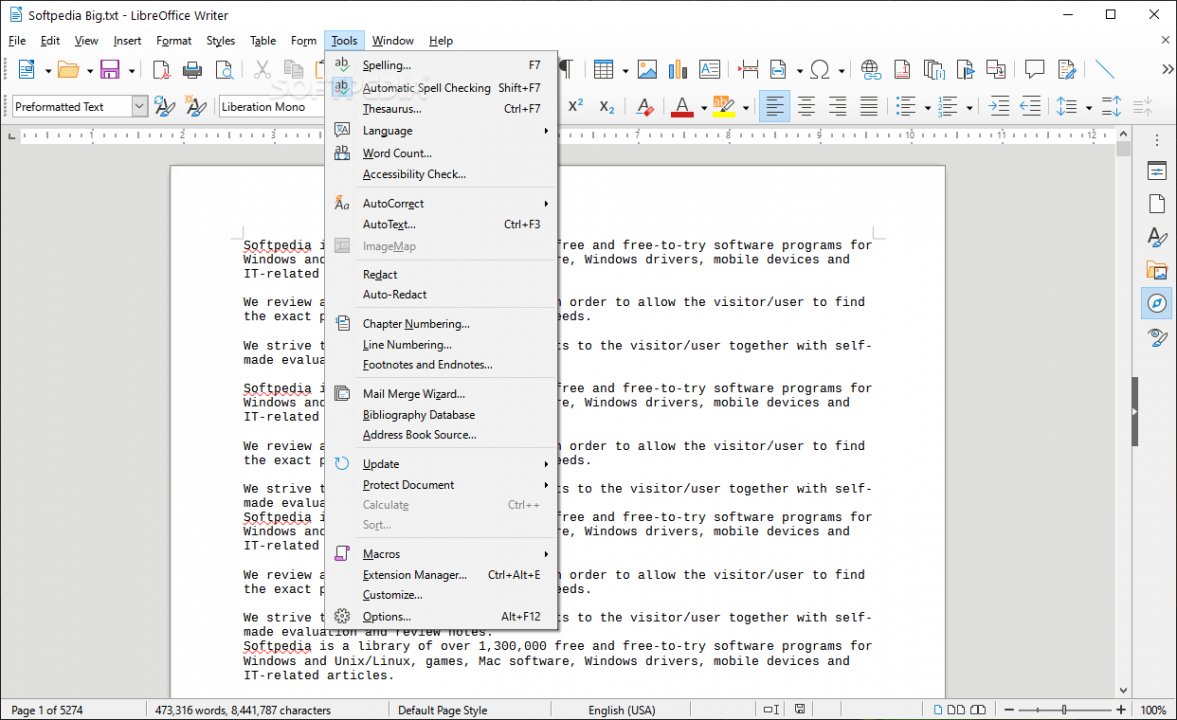
- Teksta apstrāde ar Writer: Pilnvērtīgs rīks dokumentu, vēstuļu, grāmatu un garu publikāciju rakstīšanai ar uzlabotu formatējumu un stilu pārvaldību.
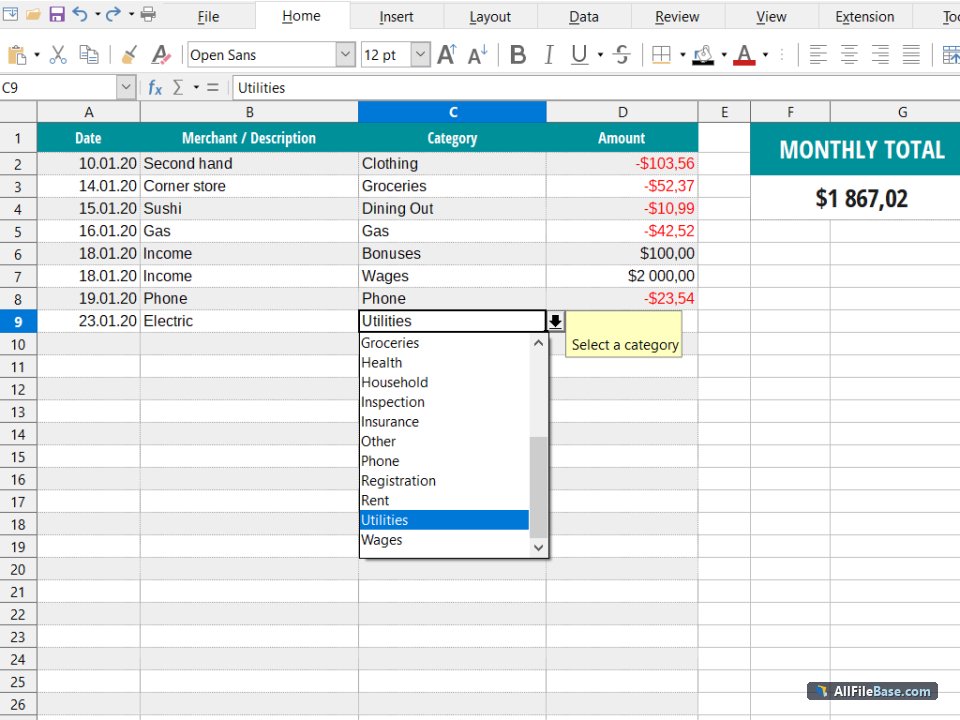
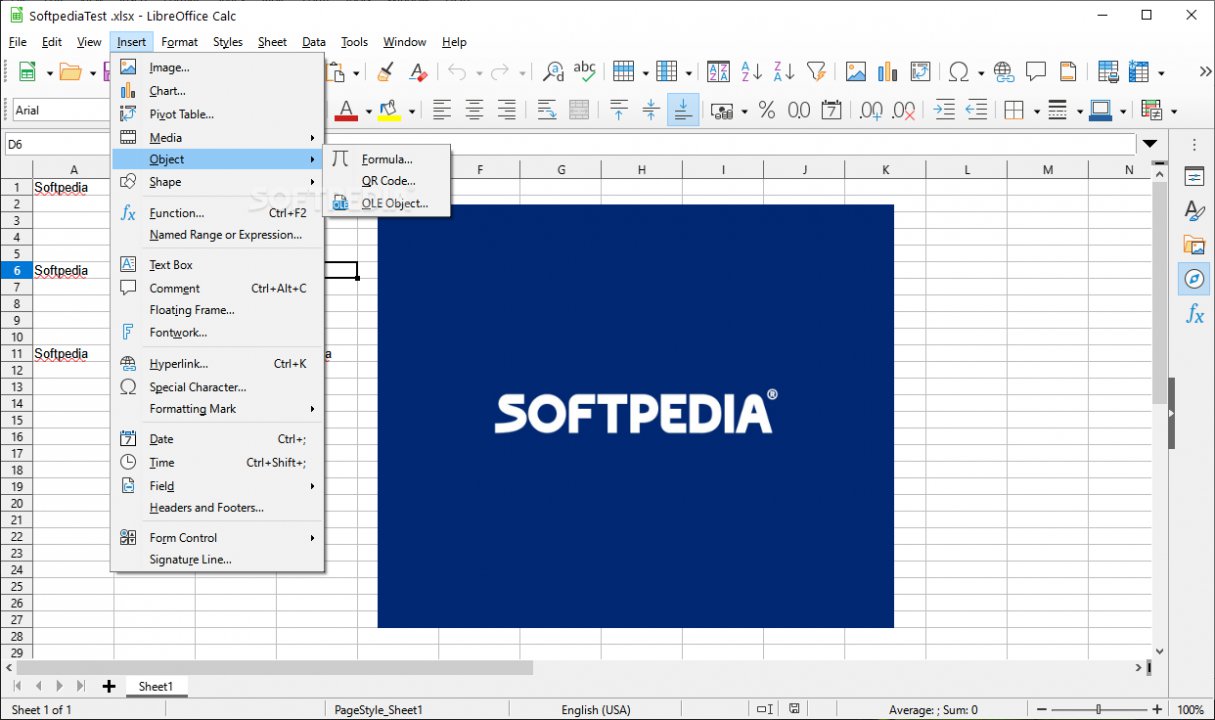
- Daudzpusīgas izklājlapas ar Calc: Jaudīgs rīks datu analīzei, finanšu aprēķiniem, sarežģītām formulām un uzskatāmu datu vizualizāciju diagrammās.
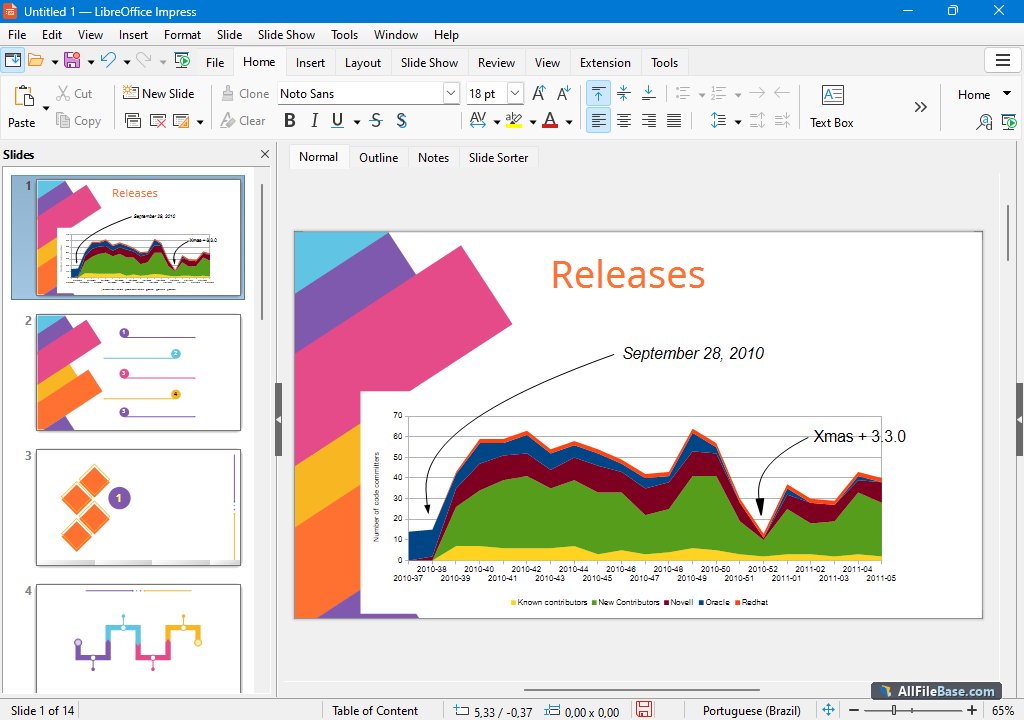
- Dinamiskas prezentācijas ar Impress: Vizuāli saistošu prezentāciju izveides rīks ar bagātīgām animācijas un slaidu pāreju iespējām.
- Vektorgrafika un zīmēšana ar Draw: Elastīgs rīks shēmu, tehnisko zīmējumu un grafisko elementu izveidei.
- Plaša failu formātu saderība: Nevainojama darba vide ar OpenDocument un Microsoft Office dokumentu formātiem bez datu zuduma.
How to Install / Run
- 1Lejupielādējiet oficiālo LibreOffice instalācijas pakotni atbilstoši savai operētājsistēmai.
- 2Palaidiet lejupielādēto instalācijas failu un izpildiet ekrānā redzamos soļus.
- 3Pabeidziet instalēšanu un atveriet LibreOffice, lai sāktu darbu pie saviem dokumentiem.
Plusi / Priekšrocības
- Pilnībā bezmaksas un atvērtā pirmkoda programmatūra bez slēptām izmaksām
- Plaša iebūvēto rīku un lietojumprogrammu bāze visām biroja vajadzībām
- Lieliska saderība ar populārajiem Microsoft Office failu formātiem
- Aktīva globālā kopiena un regulāri programmatūras atjauninājumi
Mīnusi / Ierobežojumi
- Sarežģītākos Microsoft Office dokumentos var būt nelielas formatējuma atšķirības
- Lietotāja saskarne var prasīt pieradināšanos lietotājiem, kas nāk no cita biroja rīkiem
Описание
LibreOffice — это мощный и полнофункциональный бесплатный офисный пакет с открытым исходным кодом, разработанный The Document Foundation и служащий отличной альтернативой коммерческому ПО. Он включает в себя приложения для работы с текстом (Writer), электронными таблицами (Calc), презентациями (Impress), векторной графикой (Draw), базами данных (Base) и формулами (Math), представляя собой универсальное решение для дома, бизнеса и учебы.
Программа отличается превосходной совместимостью с различными форматами файлов, обеспечивая полноценную поддержку стандарта OpenDocument (ODF), а также возможность открывать, редактировать и сохранять файлы Microsoft Office (DOCX, XLSX, PPTX). Благодаря активному сообществу разработчиков, LibreOffice регулярно получает обновления безопасности, улучшения производительности и новые полезные функции.
Ключевые Особенности
- Текстовый процессор Writer: Полноценный инструмент для создания и редактирования документов, писем и книг с продвинутым управлением стилями.
- Электронные таблицы Calc: Мощный инструмент для анализа данных, финансовых расчетов, сложных формул и построения наглядных диаграмм.
- Динамические презентации Impress: Удобное приложение для создания визуально привлекательных презентаций с богатым выбором анимации и переходов.
- Векторная графика Draw: Гибкий инструмент для создания блок-схем, технических чертежей и различных графических иллюстраций.
- Широкая совместимость форматов: Полная поддержка открытого стандарта ODF и высокая степень совместимости с файлами Microsoft Office.
How to Install / Run
- 1Загрузите официальный установочный пакет LibreOffice для вашей операционной системы.
- 2Запустите загруженный файл установки и следуйте пошаговым инструкциям на экране.
- 3Завершите установку и запустите LibreOffice из меню приложений для начала работы.
Преимущества (Плюсы)
- Полностью бесплатное программное обеспечение с открытым исходным кодом без скрытых платежей
- Комплексный набор приложений для любых повседневных и профессиональных офисных задач
- Отличная совместимость с популярными форматами документов Microsoft Office
- Активное мировое сообщество и регулярные обновления безопасности
Недостатки (Минусы)
- Сложные макросы или специфическое форматирование файлов Microsoft Office могут потребовать корректировки
- Интерфейс может потребовать небольшого привыкания для пользователей коммерческих аналогов
Description
LibreOffice is a feature-rich, free and open-source office productivity suite developed by The Document Foundation, serving as a powerful alternative to commercial office software. It includes comprehensive applications for word processing (Writer), spreadsheets (Calc), presentations (Impress), vector graphics (Draw), database management (Base), and formula editing (Math), making it an all-in-one solution for individuals, enterprises, and educational institutions.
The software offers outstanding file format compatibility, providing native support for the OpenDocument format (ODF) while ensuring seamless opening, editing, and saving of Microsoft Office files (DOCX, XLSX, PPTX). Driven by a vibrant global community, LibreOffice continuously evolves with regular security updates, performance enhancements, and modern productivity features.
Key Features
- Advanced Word Processing with Writer: A comprehensive tool for creating documents, letters, reports, and books with robust formatting and style management.
- Powerful Spreadsheets with Calc: A feature-rich environment for data analysis, financial calculations, complex formulas, and professional chart visualization.
- Dynamic Presentations with Impress: A versatile presentation tool equipped with rich animations, slide transitions, and multimedia support.
- Vector Graphics and Drawing with Draw: A flexible application for creating diagrams, technical sketches, flowcharts, and vector artwork.
- Broad File Format Compatibility: Full native support for OpenDocument formats alongside high fidelity compatibility with Microsoft Office file types.
How to Install / Run
- 1Download the official LibreOffice installation package compatible with your operating system.
- 2Launch the installer package and follow the guided on-screen instructions to complete setup.
- 3Open LibreOffice from your applications menu to start creating and editing your documents.
Advantages (Pros)
- Completely free and open-source software with no licensing fees or subscriptions
- All-in-one suite covering text, numbers, presentations, databases, and graphics
- Strong compatibility with Microsoft Office document formats
- Active international community ensuring constant improvements and security
Disadvantages (Cons)
- Complex Microsoft Office macros or advanced formatting may occasionally require manual adjustment
- Interface layout may require a brief adaptation period for users transitioning from proprietary suites
Description
LibreOffice is a feature-rich, free and open-source office productivity suite developed by The Document Foundation, serving as a powerful alternative to commercial office software. It includes comprehensive applications for word processing (Writer), spreadsheets (Calc), presentations (Impress), vector graphics (Draw), database management (Base), and formula editing (Math), making it an all-in-one solution for individuals, enterprises, and educational institutions.
The software offers outstanding file format compatibility, providing native support for the OpenDocument format (ODF) while ensuring seamless opening, editing, and saving of Microsoft Office files (DOCX, XLSX, PPTX). Driven by a vibrant global community, LibreOffice continuously evolves with regular security updates, performance enhancements, and modern productivity features.
Key Features
- Advanced Word Processing with Writer: A comprehensive tool for creating documents, letters, reports, and books with robust formatting and style management.
- Powerful Spreadsheets with Calc: A feature-rich environment for data analysis, financial calculations, complex formulas, and professional chart visualization.
- Dynamic Presentations with Impress: A versatile presentation tool equipped with rich animations, slide transitions, and multimedia support.
- Vector Graphics and Drawing with Draw: A flexible application for creating diagrams, technical sketches, flowcharts, and vector artwork.
- Broad File Format Compatibility: Full native support for OpenDocument formats alongside high fidelity compatibility with Microsoft Office file types.
How to Install / Run
- 1Download the official LibreOffice installation package compatible with your operating system.
- 2Launch the installer package and follow the guided on-screen instructions to complete setup.
- 3Open LibreOffice from your applications menu to start creating and editing your documents.
Advantages (Pros)
- Completely free and open-source software with no licensing fees or subscriptions
- All-in-one suite covering text, numbers, presentations, databases, and graphics
- Strong compatibility with Microsoft Office document formats
- Active international community ensuring constant improvements and security
Disadvantages (Cons)
- Complex Microsoft Office macros or advanced formatting may occasionally require manual adjustment
- Interface layout may require a brief adaptation period for users transitioning from proprietary suites
Description
LibreOffice is a feature-rich, free and open-source office productivity suite developed by The Document Foundation, serving as a powerful alternative to commercial office software. It includes comprehensive applications for word processing (Writer), spreadsheets (Calc), presentations (Impress), vector graphics (Draw), database management (Base), and formula editing (Math), making it an all-in-one solution for individuals, enterprises, and educational institutions.
The software offers outstanding file format compatibility, providing native support for the OpenDocument format (ODF) while ensuring seamless opening, editing, and saving of Microsoft Office files (DOCX, XLSX, PPTX). Driven by a vibrant global community, LibreOffice continuously evolves with regular security updates, performance enhancements, and modern productivity features.
Key Features
- Advanced Word Processing with Writer: A comprehensive tool for creating documents, letters, reports, and books with robust formatting and style management.
- Powerful Spreadsheets with Calc: A feature-rich environment for data analysis, financial calculations, complex formulas, and professional chart visualization.
- Dynamic Presentations with Impress: A versatile presentation tool equipped with rich animations, slide transitions, and multimedia support.
- Vector Graphics and Drawing with Draw: A flexible application for creating diagrams, technical sketches, flowcharts, and vector artwork.
- Broad File Format Compatibility: Full native support for OpenDocument formats alongside high fidelity compatibility with Microsoft Office file types.
How to Install / Run
- 1Download the official LibreOffice installation package compatible with your operating system.
- 2Launch the installer package and follow the guided on-screen instructions to complete setup.
- 3Open LibreOffice from your applications menu to start creating and editing your documents.
Advantages (Pros)
- Completely free and open-source software with no licensing fees or subscriptions
- All-in-one suite covering text, numbers, presentations, databases, and graphics
- Strong compatibility with Microsoft Office document formats
- Active international community ensuring constant improvements and security
Disadvantages (Cons)
- Complex Microsoft Office macros or advanced formatting may occasionally require manual adjustment
- Interface layout may require a brief adaptation period for users transitioning from proprietary suites
LICENSE PERMISSIONS & LEGAL REFERENCE
- Public Distribution Permission: OFFICIALLY PERMITTED TO REDISTRIBUTE (100% Legal Release)
(Guaranteed rights to freely download, copy, and share in unmodified form under open-source / freeware terms). - License Model & Status: Mozilla Public License 2.0.
- Official Distribution Permission: Under the official LibreOffice license (MPL-2.0), this software is free and permits unrestricted downloading and distribution.
- Official Project Homepage: https://www.libreoffice.org.
- Exact License & Terms Link: https://www.mozilla.org/en-US/MPL/2.0/.
- Official License Registry (Alternative Legal Source): https://www.mozilla.org/en-US/MPL/2.0/.
Images
Similar / Other Versions
No similar torrents found.
Technical Specifications
- DeveloperThe Document Foundation
- Release Date26.08.2026
- Operating SystemWindows11108/8.17
- Architecture64-bit (x64)
- Release FormatSetup / Installer Portable
- Languages🌍🇱🇻🇷🇺🇬🇧🇺🇦🇩🇪🇫🇷
- Official Homepagelibreoffice.org
- filesView (1)
System Requirements
- Processor (CPU)1.5 GHz or faster processor
- Memory (RAM)2 GB
- Free Disk Space1 GB
- Graphics Card (GPU)Standard display (No dedicated GPU required)
Rating
None
Said thanks
📢 Advertisement[+]
Want to be seen by everyone?Place your ad here using your site balance! The perfect spot to promote your releases, clan, or links.VPNMost people overpay for a VPN without realising it. CometVPN starts from just $1.89/month — same privacy, same security, same speeds as the big names. Just without the big price tag.Your text ad here!Grab this spot using your accumulated balance and get noticed.
+ Add your advertisement
📂 files (1)
×
| Path | Size |
|---|---|
| LibreOffice_26.8.0_Win_x86-64.msi | 357.54 MB |
❮
×
![]()
❯
Share on Facebook
Choose the image you want to see in your Facebook post:
Choose which image you want to see in your Facebook post and click "Share this image":
 Screenshot 1
 Screenshot 2
 Screenshot 3
 Screenshot 4
Facebook will automatically load the selected image in your post preview!
Facebook will automatically load the chosen image in the post preview.
🌐 All Supported Languages 65
🇬🇧
English
EN
🇦🇱
Albanian
Shqip
SQ
🇸🇦
Arabic
العربية
AR
🇦🇲
Armenian
Հայերեն
HY
🇪🇸
Asturian
AST
🇦🇿
Azerbaijani
Azərbaycan
AZ
🇪🇸
Basque
Euskara
EU
🇧🇾
Belarusian
Беларуская
BE
🇧🇩
Bengali
বাংলা
BN
🇧🇦
Bosnian
Bosanski
BS
🇧🇬
Bulgarian
Български
BG
🇪🇸
Catalan
Català
CA
🇨🇳
Chinese (Simplified)
简体中文
ZH-CN
🇹🇼
Chinese (Traditional)
繁體中文
ZH-TW
🇭🇷
Croatian
Hrvatski
HR
🇨🇿
Czech
Čeština
CS
🇩🇰
Danish
Dansk
DA
🇳🇱
Dutch
Nederlands
NL
🟢
Esperanto
EO
🇪🇪
Estonian
Eesti
ET
🇫🇮
Finnish
Suomi
FI
🇫🇷
French
Français
FR
🇪🇸
Galician
Galego
GL
🇬🇪
Georgian
ქართული
KA
🇩🇪
German
Deutsch
DE
🇬🇷
Greek
Ελληνικά
EL
🇮🇱
Hebrew
עברית
HE
🇮🇳
Hindi
हिन्दी
HI
🇭🇺
Hungarian
Magyar
HU
🇮🇸
Icelandic
Íslenska
IS
🇮🇩
Indonesian
Bahasa Indonesia
ID
🇮🇹
Italian
Italiano
IT
🇯🇵
Japanese
日本語
JA
🇮🇳
Kannada
ಕನ್ನಡ
KN
🇰🇿
Kazakh
Қазақша
KK
🇰🇭
Khmer
ភាសាខ្មែរ
KM
🇰🇷
Korean
한국어
KO
🇹🇷
Kurdish
Kurdî
KU
🇱🇻
Latvian
Latviešu
LV
🇱🇹
Lithuanian
Lietuvių
LT
🇲🇰
Macedonian
Македонски
MK
🇲🇾
Malay
Bahasa Melayu
MS
🇮🇳
Marathi
मराठी
MR
🇳🇵
Nepali
नेपाली
NE
🇳🇴
Norwegian
Norsk
NO
🇫🇷
Occitan
OC
🇮🇷
Persian
فارسی
FA
🇵🇱
Polish
Polski
PL
🇧🇷
Portuguese (Brazil)
Português (Brasil)
PT-BR
🇵🇹
Portuguese
Português
PT
🇷🇴
Romanian
Română
RO
🇷🇺
Russian
Русский
RU
🇷🇸
Serbian
Srpski
SR
🇸🇰
Slovak
Slovenčina
SK
🇸🇮
Slovenian
Slovenščina
SL
🇪🇸
Spanish
Español
ES
🇸🇪
Swedish
Svenska
SV
🇮🇳
Tamil
தமிழ்
TA
🇮🇳
Telugu
తెలుగు
TE
🇹🇭
Thai
ไทย
TH
🇹🇷
Turkish
Türkçe
TR
🇺🇦
Ukrainian
Українська
UK
🇺🇿
Uzbek
Oʻzbekcha
UZ
🇻🇳
Vietnamese
Tiếng Việt
VI
🏴
Welsh
Cymraeg
CY
No matching languages found
Total supported languages: 65