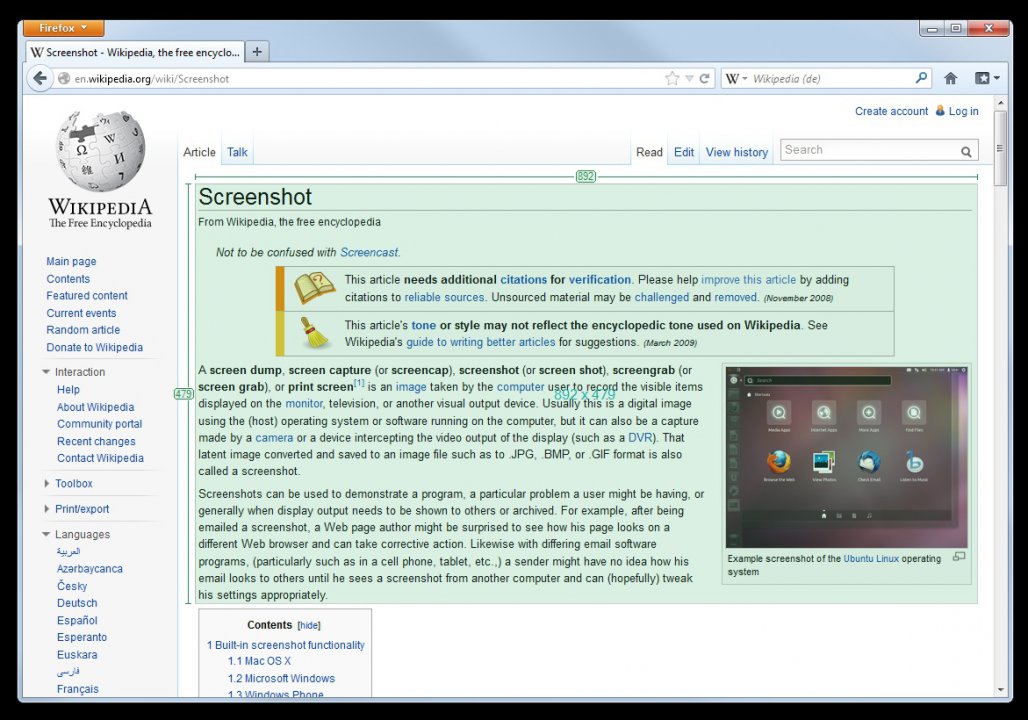
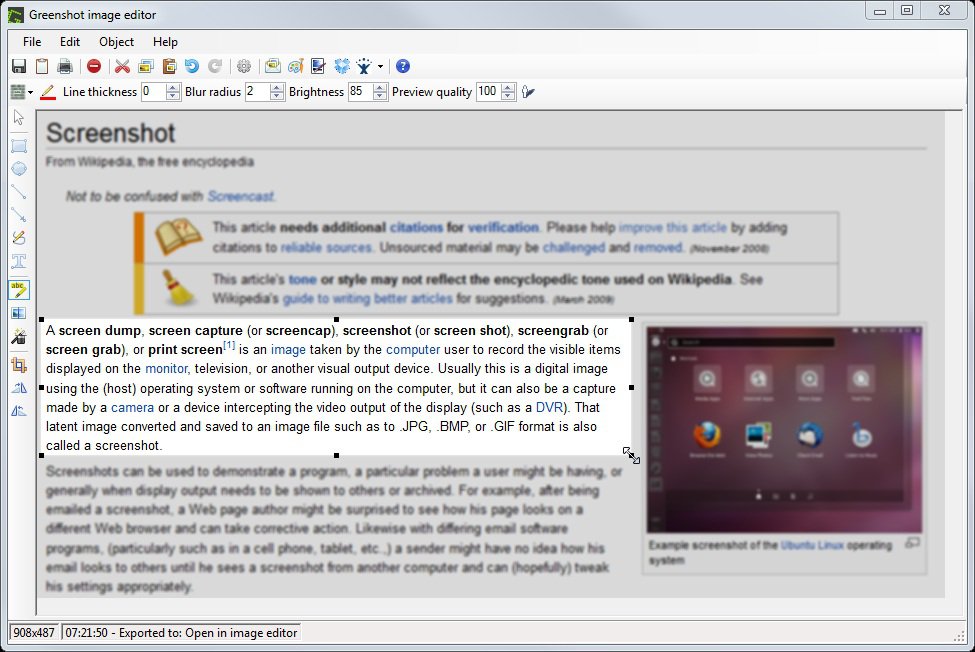
Greenshot ir viegls, bet jaudīgs ekrānuzņēmumu veidošanas rīks, kas paredzēts operētājsistēmai Microsoft Windows un izstrādāts, lai maksimāli atvieglotu darbu projektu vadītājiem, testētājiem un programmētājiem. Programmatūra ļauj ātri uzņemt gan pilnu ekrānu, gan noteiktus tā apgabalus, logus vai tīmekļa lapas. Pateicoties integrētajam attēlu redaktoram, iegūtos attēlus var nekavējoties anotēt, pievienojot bultas, tekstuzlīmes, iekrāsojumus un citus elementus, kas būtiski uzlabo vizuālo komunikāciju un kļūdu ziņošanas procesus.
Galvenās Funkcijas
Elastīga ekrāna tveršana:Ātri izveidojiet pilna ekrāna, aktīvā loga, atlasītā reģiona vai pat ritinātu tīmekļa lapu ekrānuzņēmumus.
Iebūvētais attēlu redaktors:Izmantojiet daudzveidīgus anotācijas rīkus, lai zīmētu formas, izceltu svarīgas vietas, aizmiglotu sensitīvu informāciju un pievienotu tekstu.
Elastīgas eksportēšanas opcijas:Saglabājiet uzņēmumus failā, nosūtiet tos pa e-pastu, nosūtiet tieši uz printeri vai saglabājiet starplaikā starpliktuvē tālākai lietošanai.
Plašas pielāgošanas iespējas:Pielāgojiet karsttaustiņus, failu nosaukumu šablonus un galamērķa darbības atbilstoši savām ikdienas darba plūsmām.
Atbalsts vairākām valodām:Programma ir pieejama vairāk nekā 30 valodās, pateicoties aktīvajai lietotāju kopienas ieguldījumam.
How to Install / Run
1
Lejupielādējiet oficiālo Greenshot instalācijas pakotni no uzticama avota.
2
Palaidiet instalācijas programmu un izpildiet ekrānā redzamos norādījumus, izvēloties sev nepieciešamos spraudņus.
3
Pēc instalēšanas aktivizējiet programmu, izmantojot taustiņu Print Screen, lai sāktu veidot ekrānuzņēmumus.
Plusi / Priekšrocības
Pilnīgi bezmaksas un atvērtā pirmkoda programmatūra operētājsistēmai Windows
Ātra un viegla darbība ar minimālu sistēmas resursupatēriņu
Spēcīgi iebūvētie rediģēšanas un aizmiglošanas rīki privātuma aizsardzībai
Ērtas eksportēšanas iespējas uz dažādiem galamērķiem ar vienu klikšķi
Mīnusi / Ierobežojumi
Operētājsistēmas macOS versija ir pieejama kā maksas, slēgta koda lietotne App Store
Nedaudz novecojis lietotāja saskarnes dizains salīdzinājumā ar jaunākajiem konkurentiem
Описание
Greenshot — это бесплатная программа с открытым исходным кодом для создания снимков экрана под Microsoft Windows, созданная специально для разработчиков, тестировщиков и проектных менеджеров. Она позволяет быстро и эффективно захватывать как весь экран целиком, так и отдельные окна или выбранные области. Встроенный редактор изображений дает возможность мгновенно аннотировать, выделять ключевые моменты и скрывать конфиденциальные данные перед тем, как отправить скриншот в файл, по электронной почте, на печать или в буфер обмена.
Ключевые Особенности
Гибкие режимы захвата:Создавайте снимки всего экрана, активных окон, произвольных областей или прокручиваемых веб-страниц с помощью горячих клавиш.
Встроенный редактор:Аннотируйте изображения стрелками, рамками, текстом и используйте инструмент размытия для сокрытия конфиденциальной информации.
Разнообразные варианты экспорта:Сохраняйте скриншоты на диск, отправляйте по почте, выводите на печать или копируйте в буфер обмена в один клик.
Настройка рабочих процессов:Персонализируйте горячие клавиши, шаблоны имен файлов и конечные действия для максимального удобства.
Многоязычность:Интерфейс переведен более чем на 30 языков благодаря вкладу открытого сообщества.
How to Install / Run
1
Загрузите официальный установочный пакет Greenshot из надежного источника.
2
Запустите программу установки и следуйте инструкциям на экране, выбрав необходимые компоненты.
3
Запустите Greenshot и нажмите клавишу Print Screen для быстрого создания и редактирования скриншотов.
Преимущества (Плюсы)
Полностью бесплатное ПО с открытым исходным кодом (для ОС Windows)
Высокая скорость работы и минимальное потребление системных ресурсов
Мощные встроенные инструменты редактирования и размытия конфиденциальных данных
Удобные и настраиваемые параметры экспорта
Недостатки (Минусы)
Версия для macOS распространяется как платное проприетарное приложение через App Store
Внешний вид интерфейса может казаться несколько устаревшим по сравнению с современными аналогами
Description
Greenshot is an open‑source screenshot utility designed for Windows users. It allows quick and simple capture, editing, and sharing of screenshots, streamlining workflow. The program offers various capture modes such as full‑screen, window, or region, and supports annotations, drawings, and text overlays. Using Greenshot, users can easily create and share screenshots via email, documents, or social media, enhancing information sharing and productivity.
Full‑Screen Mode:Capture the entire screen for presentations or video creation.
Window Capture:Select a specific window for precise content capture.
Editing Tools:Add annotations, drawings, and text before saving.
Cloud Integration:Export directly to Dropbox, Google Drive, or OneDrive with a single click.
How to Install / Run
1
Download the installer from the official website.
2
Run the downloaded .exe file and follow the installation wizard.
3
After installation, launch Greenshot and configure your preferred capture settings.
Advantages (Pros)
Fast and intuitive capture
Rich feature set with built‑in editor
Free and open‑source
Cloud service integration
Disadvantages (Cons)
Limited language support in the UI
Cloud configuration may require additional setup
Description
Greenshot is an open‑source screenshot utility designed for Windows users. It allows quick and simple capture, editing, and sharing of screenshots, streamlining workflow. The program offers various capture modes such as full‑screen, window, or region, and supports annotations, drawings, and text overlays. Using Greenshot, users can easily create and share screenshots via email, documents, or social media, enhancing information sharing and productivity.
Full‑Screen Mode:Capture the entire screen for presentations or video creation.
Window Capture:Select a specific window for precise content capture.
Editing Tools:Add annotations, drawings, and text before saving.
Cloud Integration:Export directly to Dropbox, Google Drive, or OneDrive with a single click.
How to Install / Run
1
Download the installer from the official website.
2
Run the downloaded .exe file and follow the installation wizard.
3
After installation, launch Greenshot and configure your preferred capture settings.
Advantages (Pros)
Fast and intuitive capture
Rich feature set with built‑in editor
Free and open‑source
Cloud service integration
Disadvantages (Cons)
Limited language support in the UI
Cloud configuration may require additional setup
Description
Greenshot is an open‑source screenshot utility designed for Windows users. It allows quick and simple capture, editing, and sharing of screenshots, streamlining workflow. The program offers various capture modes such as full‑screen, window, or region, and supports annotations, drawings, and text overlays. Using Greenshot, users can easily create and share screenshots via email, documents, or social media, enhancing information sharing and productivity.
Full‑Screen Mode:Capture the entire screen for presentations or video creation.
Window Capture:Select a specific window for precise content capture.
Editing Tools:Add annotations, drawings, and text before saving.
Cloud Integration:Export directly to Dropbox, Google Drive, or OneDrive with a single click.
How to Install / Run
1
Download the installer from the official website.
2
Run the downloaded .exe file and follow the installation wizard.
3
After installation, launch Greenshot and configure your preferred capture settings.
Advantages (Pros)
Fast and intuitive capture
Rich feature set with built‑in editor
Free and open‑source
Cloud service integration
Disadvantages (Cons)
Limited language support in the UI
Cloud configuration may require additional setup
LICENSE PERMISSIONS & LEGAL REFERENCE
Public Distribution Permission:OFFICIALLY PERMITTED TO REDISTRIBUTE (100% Legal Release)
(Guaranteed rights to freely download, copy, and share in unmodified form under open-source / freeware terms).
License Model & Status:GNU General Public License (Windows) / Proprietary (macOS).
Official Distribution Permission:Under the official Greenshot license (GPLv2+), this software is free and permits unrestricted downloading and distribution.