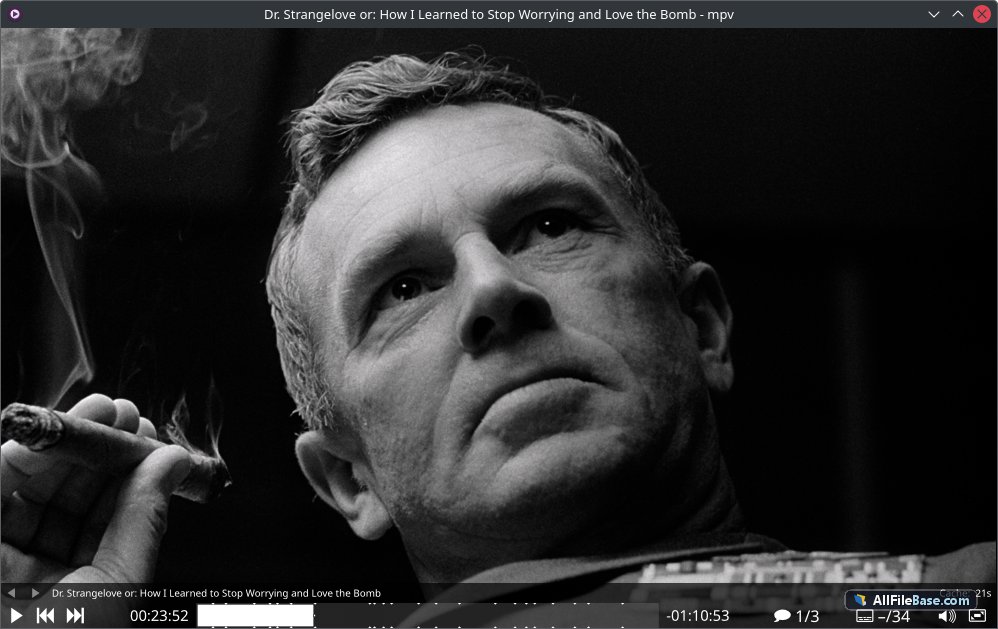
Mpv 0.41.0 ir pilnīgs stacionārais bezsaistes instalētājs (standalone offline installer), kas ļauj veikt pilnīgu un ērtu programmatūras iestatīšanu bez aktīva interneta savienojuma vai tiešsaistes lejupielādētāju palīdzības instalācijas laikā. Šis uzlabotais multivides atskaņotājs balstās uz MPlayer un mplayer2 kodolu, piedāvājot plašu atbalstīto failu formātu, audio un video kodeku klāstu, kā arī uzlabotas straumēšanas spējas. Atskaņotājs izceļas ar savu minimālisma un vieglo grafisko saskarni, kas nodrošina maksimālu sistēmas resursu efektivitāti. Pateicoties jaudīgajam video renderēšanas dzinim, kas balstīts uz OpenGL, Vulkan un Direct3D, mpv nodrošina izcilu attēla kvalitāti ar augstas veiktspējas mērogošanu, krāsu pārvaldību, kadru interpolāciju un HDR atbalstu. Programma piedāvā arī plašas skriptošanas iespējas, ļaujot lietotājiem pielāgot funkcijas, izmantojot Lua vai JavaScript skriptus. Tā ir ideāla izvēle gan ikdienas mediju lietošanai, gan profesionālai video analīzei un atskaņošanai. Bezsaistes arhīvs ievērojami vienkāršo izvietošanu datoros bez tīkla piekļuves, nodrošinot stabilu un drošu pieredzi no pirmā brīža. Ar plakanu un pielāgojamu ekrāna vadību mpv nodrošina netraucētu un augstas veiktspējas multivides baudījumu jebkurā vidē.
Galvenās Funkcijas
Pilnīgs bezsaistes instalētājs:Šī versija ir pilnīgs stacionārais bezsaistes instalētājs, kas ļauj veikt pilnīgu instalāciju bez nepieciešamības pēc aktīva interneta savienojuma vai interneta lejupielādētājiem iestatīšanas laikā.
Uzlabota video renderēšana:Izmanto augstas veiktspējas renderēšanas dzinējus (OpenGL, Vulkan, Direct3D), lai nodrošinātu izcilu mērogošanu un krāsu precizitāti.
Plašs formātu atbalsts:Nevainojami atskaņo gandrīz visus zināmos video un audio formātus, izmantojot iebūvētos FFmpeg kodekus.
Skriptošana un automatizācija:Atbalsta paplašinājumus un lietotāja skriptus, izmantojot Lua un JavaScript, nodrošinot bezgalīgas pielāgošanas iespējas.
Minimālistiska un viegla saskarne:Fokusējas uz tīru ekrāna saturu bez liekiem paneļiem, piedāvājot vadību ar īsinājumtaustiņiem un ekrāna displeju.
How to Install / Run
1
Atveriet lejupielādēto .7z arhīvu, izmantojot atbilstošu arhivēšanas rīku.
2
Palaidiet pilno stacionāro bezsaistes instalētāju, lai sāktu uzstādīšanas procesu bez interneta pieslēguma.
3
Izpildiet ekrānā redzamos norādījumus un pēc pabeigšanas sāciet izmantot mpv atskaņotāju.
Plusi / Priekšrocības
Pilnībā neatkarīgs bezsaistes instalētājs ērtai izvietošanai
Izcila video kvalitāte un moderna renderēšanas tehnoloģija
Ļoti zems sistēmas resursu patēriņš un ātra iedarbināšanās
Plašas pielāgošanas un skriptošanas iespējas pieredzējušiem lietotājiem
Mīnusi / Ierobežojumi
Trūkst tradicionālās grafiskās iestatījumu izvēlnes (viss tiek konfigurēts caur failiem vai īsinājumtaustiņiem)
Var būt sarežģīts iesācējiem, kas pieraduši pie tradicionāliem multivides atskaņotājiem
Описание
Mpv 0.41.0 поставляется в виде полноценного автономного оффлайн-установщика (standalone offline installer), что позволяет выполнить полный и удобный монтаж программы без необходимости использования активного подключения к интернету или онлайн-загрузчиков в процессе установки. Созданный на базе MPlayer и mplayer2, этот медиаплеер предлагает высокую производительность, поддержку огромного количества аудио и видео форматов, а также расширенные возможности воспроизведения. Оснащенный передовым графическим движком рендеринга на базе OpenGL, Vulkan и Direct3D, mpv обеспечивает великолепное качество изображения с передовыми алгоритмами масштабирования, управлением цветом, интерполяцией кадров и полной поддержкой HDR. Минималистичный интерфейс плеера полностью освобожден от лишних элементов управления, концентрируясь на видеопотоке и предлагая точное управление с помощью горячих клавиш и экранного меню. Оффлайн-архив гарантирует надежное развертывание на компьютерах, не имеющих доступа к сети, обеспечивая стабильность и безопасность с первой минуты работы. Благодаря глубокой поддержке скриптов на Lua и JavaScript, пользователи могут настраивать плеер под свои индивидуальные задачи и автоматизировать рабочие процессы, делая mpv универсальным инструментом для любых мультимедийных нужд.
Ключевые Особенности
Полный оффлайн-установщик:Данный релиз представляет собой полноценный автономный оффлайн-установщик, позволяющий выполнить полную установку без необходимости наличия активного интернет-соединения или онлайн-загрузчиков.
Продвинутый рендеринг видео:Использует современные бэкend-системы рендеринга (OpenGL, Vulkan, Direct3D) для безупречного масштабирования видео, точной цветопередачи и плавной интерполяции.
Широкая поддержка кодеков:Встроенный набор декодеров FFmpeg позволяет нативно и без проблем воспроизводить практически любые аудио, видео и субтитры.
Скрипты и автоматизация:Поддерживает расширения и пользовательские сценарии на языках Lua и JavaScript для гибкой настройки функционала плеера.
Минималистичный интерфейс:Предлагает чистый экран без лишних панелей управления, управляемый с помощью удобных комбинаций клавиш и лаконичного экранного меню.
How to Install / Run
1
Распакуйте загруженный .7z архив с помощью подходящего архиватора.
2
Запустите полный автономный оффлайн-установщик для настройки программного обеспечения без подключения к сети.
3
Завершите процесс установки и запустите mpv для комфортного воспроизведения мультимедиа.
Преимущества (Плюсы)
Полностью автономный оффлайн-установщик без зависимости от интернет-соединения
Выдающееся качество воспроизведения видео и передовые фильтры масштабирования
Чрезвычайно легкий вес, минимальное потребление системных ресурсов и мгновенный запуск
Мощная система расширения и гибкой настройки через скрипты
Недостатки (Минусы)
Отсутствует привычное графическое меню настроек, конфигурация выполняется через файлы или горячие клавиши
Может потребовать времени на освоение для пользователей, привыкших к мышецентричным плеерам
Description
Mpv 0.41.0 is delivered as a full standalone offline installer, allowing a complete and seamless setup without requiring an active internet connection or online web-downloaders during the installation process. Building upon the legacy of MPlayer and mplayer2, mpv is a robust, lightweight, and highly customizable cross-platform media player designed to handle a vast array of video and audio formats with exceptional efficiency. Equipped with an advanced video rendering engine powered by OpenGL, Vulkan, and Direct3D, mpv delivers stunning image quality equipped with high-quality scaling algorithms, color management, frame interpolation, and full HDR support. Its uncluttered, minimalist interface keeps the focus entirely on the video content while offering precise control via keyboard shortcuts and streamlined on-screen displays. Additionally, deep scripting support via Lua and JavaScript allows users to tailor workflows and integrate advanced automation features effortlessly. The offline architecture ensures reliable deployment on machines without network access, making it ideal for secure and isolated environments. Whether you are watching casual media or performing meticulous high-definition video analysis, mpv provides uncompromising performance, speed, and versatility.
Key Features
Complete Offline Installer:This release provides a full standalone offline installer package, enabling complete setup without needing an active internet connection or online downloading tools during installation.
Advanced Video Rendering:Utilizes modern GPU-accelerated rendering backends (OpenGL, Vulkan, Direct3D) for pristine video scaling, color accuracy, and smooth motion interpolation.
Comprehensive Codec Support:Integrates powerful FFmpeg decoding capabilities to effortlessly handle nearly all audio, video, and subtitle formats natively.
Scripting and Automation:Features deep extension support through Lua and JavaScript, allowing users to customize player behavior and implement custom workflows.
Minimalist Interface:Offers a clean, distraction-free playback window controlled primarily through intuitive keyboard shortcuts and sleek on-screen displays.
How to Install / Run
1
Extract the downloaded .7z archive using your preferred file extraction utility.
2
Run the full standalone offline installer to deploy the software completely without internet access.
3
Complete the setup steps and launch mpv to begin enjoying high-performance media playback.
Advantages (Pros)
Full standalone offline installer with zero internet dependency during setup
Outstanding video playback performance and advanced scaling filters
Extremely lightweight with minimal resource usage and instant startup
Highly extensible architecture with Lua/JavaScript scripting support
Disadvantages (Cons)
Lacks a traditional graphical settings menu, relying heavily on configuration files
Steeper learning curve for users unfamiliar with keyboard-driven media players
Description
Mpv 0.41.0 is delivered as a full standalone offline installer, allowing a complete and seamless setup without requiring an active internet connection or online web-downloaders during the installation process. Building upon the legacy of MPlayer and mplayer2, mpv is a robust, lightweight, and highly customizable cross-platform media player designed to handle a vast array of video and audio formats with exceptional efficiency. Equipped with an advanced video rendering engine powered by OpenGL, Vulkan, and Direct3D, mpv delivers stunning image quality equipped with high-quality scaling algorithms, color management, frame interpolation, and full HDR support. Its uncluttered, minimalist interface keeps the focus entirely on the video content while offering precise control via keyboard shortcuts and streamlined on-screen displays. Additionally, deep scripting support via Lua and JavaScript allows users to tailor workflows and integrate advanced automation features effortlessly. The offline architecture ensures reliable deployment on machines without network access, making it ideal for secure and isolated environments. Whether you are watching casual media or performing meticulous high-definition video analysis, mpv provides uncompromising performance, speed, and versatility.
Key Features
Complete Offline Installer:This release provides a full standalone offline installer package, enabling complete setup without needing an active internet connection or online downloading tools during installation.
Advanced Video Rendering:Utilizes modern GPU-accelerated rendering backends (OpenGL, Vulkan, Direct3D) for pristine video scaling, color accuracy, and smooth motion interpolation.
Comprehensive Codec Support:Integrates powerful FFmpeg decoding capabilities to effortlessly handle nearly all audio, video, and subtitle formats natively.
Scripting and Automation:Features deep extension support through Lua and JavaScript, allowing users to customize player behavior and implement custom workflows.
Minimalist Interface:Offers a clean, distraction-free playback window controlled primarily through intuitive keyboard shortcuts and sleek on-screen displays.
How to Install / Run
1
Extract the downloaded .7z archive using your preferred file extraction utility.
2
Run the full standalone offline installer to deploy the software completely without internet access.
3
Complete the setup steps and launch mpv to begin enjoying high-performance media playback.
Advantages (Pros)
Full standalone offline installer with zero internet dependency during setup
Outstanding video playback performance and advanced scaling filters
Extremely lightweight with minimal resource usage and instant startup
Highly extensible architecture with Lua/JavaScript scripting support
Disadvantages (Cons)
Lacks a traditional graphical settings menu, relying heavily on configuration files
Steeper learning curve for users unfamiliar with keyboard-driven media players
Description
Mpv 0.41.0 is delivered as a full standalone offline installer, allowing a complete and seamless setup without requiring an active internet connection or online web-downloaders during the installation process. Building upon the legacy of MPlayer and mplayer2, mpv is a robust, lightweight, and highly customizable cross-platform media player designed to handle a vast array of video and audio formats with exceptional efficiency. Equipped with an advanced video rendering engine powered by OpenGL, Vulkan, and Direct3D, mpv delivers stunning image quality equipped with high-quality scaling algorithms, color management, frame interpolation, and full HDR support. Its uncluttered, minimalist interface keeps the focus entirely on the video content while offering precise control via keyboard shortcuts and streamlined on-screen displays. Additionally, deep scripting support via Lua and JavaScript allows users to tailor workflows and integrate advanced automation features effortlessly. The offline architecture ensures reliable deployment on machines without network access, making it ideal for secure and isolated environments. Whether you are watching casual media or performing meticulous high-definition video analysis, mpv provides uncompromising performance, speed, and versatility.
Key Features
Complete Offline Installer:This release provides a full standalone offline installer package, enabling complete setup without needing an active internet connection or online downloading tools during installation.
Advanced Video Rendering:Utilizes modern GPU-accelerated rendering backends (OpenGL, Vulkan, Direct3D) for pristine video scaling, color accuracy, and smooth motion interpolation.
Comprehensive Codec Support:Integrates powerful FFmpeg decoding capabilities to effortlessly handle nearly all audio, video, and subtitle formats natively.
Scripting and Automation:Features deep extension support through Lua and JavaScript, allowing users to customize player behavior and implement custom workflows.
Minimalist Interface:Offers a clean, distraction-free playback window controlled primarily through intuitive keyboard shortcuts and sleek on-screen displays.
How to Install / Run
1
Extract the downloaded .7z archive using your preferred file extraction utility.
2
Run the full standalone offline installer to deploy the software completely without internet access.
3
Complete the setup steps and launch mpv to begin enjoying high-performance media playback.
Advantages (Pros)
Full standalone offline installer with zero internet dependency during setup
Outstanding video playback performance and advanced scaling filters
Extremely lightweight with minimal resource usage and instant startup
Highly extensible architecture with Lua/JavaScript scripting support
Disadvantages (Cons)
Lacks a traditional graphical settings menu, relying heavily on configuration files
Steeper learning curve for users unfamiliar with keyboard-driven media players
LICENSE PERMISSIONS & LEGAL REFERENCE
Public Distribution Permission:OFFICIALLY PERMITTED TO REDISTRIBUTE (100% Legal Release)
(Guaranteed rights to freely download, copy, and share in unmodified form under open-source / freeware terms).
License Model & Status:GNU General Public License v2.0 or later.
Official Distribution Permission:Under the official Mpv license (GPLv2+), this software is free and permits unrestricted downloading and distribution.