
Title
Attention Anonymous User!Your download speed is severely restricted. Registered users download at full speed without waiting. Register now!

7-Zip v. 26.03
File Archivers (ZIP/RAR)v. 26.03

Original Descriptions
🇱🇻Latvian
🇷🇺Russian
🇬🇧English
Instant Translation
🇩🇪Deutsch
🇪🇸Español
🇫🇷Français
🇪🇪Eesti
🇱🇹Lietuvių
🇵🇱Polski
🇺🇦Українська
🇮🇹Italiano
🇵🇹Português
🇫🇮Suomi
🇸🇪Svenska
🇳🇴Norsk
🇨🇳中文
🇯🇵日本語
Operating System
Windows
11108/8.17
Architecture
64-bit (x64)
Apraksts
7-Zip ir bezmaksas un atvērtā pirmkoda failu arhivators, kas paredzēts failu grupēšanai un saspiešanai saspiestos konteineros jeb arhīvos. To 1999. gadā izstrādāja Igors Pavlovs, un tas ir kļuvis par vienu no populārākajiem un uzticamākajiem instrumentiem datu saspiešanai operētājsistēmās. Programma izmanto savu īpašo 7z arhīva formātu, kas tika ieviests 2001. gadā un piedāvā augstu saspiešanas koeficientu, taču tā spēj lasīt un rakstīt arī vairākus citus populārus formātus.Lietotāji var ērti izmantot 7-Zip, izmantojot Windows grafisko lietotāja saskarni (GUI), kurā ir iekļauta arī operētājsistēmas apvalka integrācija (shell integration), vai izmantojot komandrindas interfeisu ar komandu 7z, kas nodrošina daudzplatformu atbalstu. Lielākā daļa 7-Zip pirmkoda tiek izplatīta saskaņā ar LGPL-2.1 vai jaunāku licenci, savukārt unRAR kodam ir papildu ierobežojumi, kas aizliedz izmantot šo kodu RAR kompresijas algoritma reverso inženieriju veikšanai.
Galvenās Funkcijas
- Augsta saspiešanas pakāpe: Nodrošina izcilu datu saspiešanas koeficientu savā vietējā 7z formātā, izmantojot modernus LZMA un LZMA2 algoritmus.
- Plašs formātu atbalsts: Spēj pilnvērtīgi lasīt, atspiest, izveidot un atjaunināt plašu arhīva formātu klāstu, tostarp ZIP, TAR, GZIP, WIM un XZ.
- Integrācija ar operētājsistēmu: Piedāvā ērtu un intuitīvu Windows Explorer konteksta izvēlnes integrāciju ātrai arhīvu apstrādei.
- Komandrindas rīks: Ietver jaudīgu komandrindas versiju 7z, kas nodrošina elastīgas iespējas automatizācijai un vairāku platformu atbalstam.
- Spēcīga šifrēšana: Nodrošina augsta līmeņa AES-256 šifrēšanu gan failu saturam, gan pašu arhīva nosaukumiem drošākai datu glabāšanai.
How to Install / Run
- 1Atveriet iebūvēto lietotņu katalogu vai instalēšanas rīku savā sistēmā.
- 2Atrast 7-Zip un noklikšķiniet uz instalēšanas vai iegūšanas pogas, lai sāktu lejupielādi.
- 3Pēc instalēšanas pabeigšanas varat sākt izmantot programmu no izvēlnes Sākt vai caur konteksta izvēlni.
Plusi / Priekšrocības
- Pilnīgi bezmaksas un atvērtā pirmkoda programmatūra bez slēptām maksām vai reklāmām.
- Izcila saspiešanas efektivitāte, kas bieži pārspēj konkurentus.
- Viegla sistēmas resursu izmantošana un ātrs darbības ātrums.
- Plaša failu formātu saderība.
Mīnusi / Ierobežojumi
- Vizuālais noformējums un interfeiss var šķist nedaudz novecojis.
- Nav iekļauta uzlabota iebūvēto failu priekšskatījuma funkcionalitāte.
Описание
7-Zip — это свободный файловый архиватор с открытым исходным кодом, предназначенный для сжатия файлов и объединения их в архивы. Программа была создана Игорем Павловым и впервые выпущена в 1999 году, став одним из самых надежных инструментов для управления данными. Программа использует собственный формат 7z, представленный в 2001 году, который обеспечивает высокую степень сжатия, а также поддерживает чтение и запись множества других форматов.Пользователи могут работать с 7-Zip через графический интерфейс Windows с интеграцией в контекстное меню или через интерфейс командной строки с помощью команды 7z, что обеспечивает кроссплатформенную поддержку. Большая часть исходного кода 7-Zip распространяется под лицензией LGPL-2.1 или новее, за исключением кода unRAR, который имеет специальное ограничение, запрещающее использовать его для обратного проектирования алгоритма сжатия RAR.
Ключевые Особенности
- Высокая степень сжатия: Обеспечивает отличные показатели компрессии в родном формате 7z благодаря современным алгоритмам LZMA и LZMA2.
- Поддержка множества форматов: Полноценное создание и распаковка архивов ZIP, TAR, GZIP, WIM, XZ и чтение десятков других форматов.
- Интеграция в оболочку Windows: Удобное добавление пунктов меню в проводник Windows для быстрого сжатия и извлечения файлов в один клик.
- Мощная командная строка: Включает консольную утилиту 7z, отлично подходящую для автоматизации задач и использования в различных операционных системах.
- Надежное шифрование AES-256: Защита архивов и имен файлов с помощью стойкого алгоритма шифрования AES для обеспечения безопасности конфиденциальных данных.
How to Install / Run
- 1Откройте встроенный каталог приложений или менеджер пакетов в вашей системе.
- 2Найдите 7-Zip и нажмите кнопку установки или загрузки, чтобы начать процесс.
- 3После завершения установки вы можете использовать программу через меню или контекстное меню файлов.
Преимущества (Плюсы)
- Полностью бесплатное программное обеспечение с открытым исходным кодом без рекламы.
- Выдающаяся эффективность сжатия данных.
- Низкие системные требования и высокая скорость работы.
- Широкая поддержка различных стандартов и форматов.
Недостатки (Минусы)
- Интерфейс выглядит просто и несколько устаревше.
- Отсутствуют встроенные функции облачной синхронизации.
Description
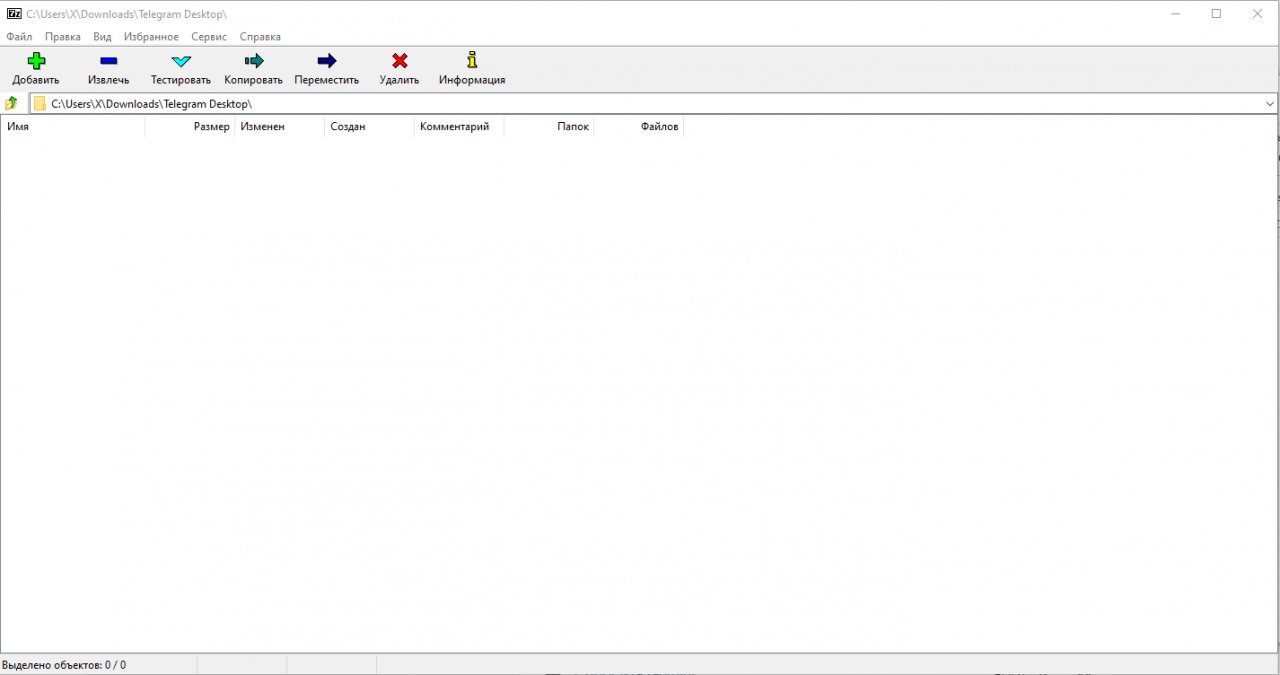
7-Zip is a free and open-source file archiver, a utility used to place groups of files within compressed containers known as archives. Developed by Igor Pavlov and first released in 1999, 7-Zip has become an essential tool for efficient data compression and file management. The program features its own proprietary 7z archive format introduced in 2001, which delivers exceptionally high compression ratios, while also providing full read and write support for numerous other standard formats.Users can interact with 7-Zip via a clean Windows graphical user interface featuring deep shell integration, or through a robust command-line interface using the 7z command for cross-platform workflows. Most of the 7-Zip source code is licensed under the LGPL-2.1-or-later license, though the unRAR code is subject to an unRAR restriction that prohibits developers from using the code to reverse-engineer the RAR compression algorithm.
Key Features
- Advanced Compression Algorithms: Utilizes powerful LZMA and LZMA2 compression methods within the native 7z format to achieve extremely high compression ratios.
- Comprehensive Format Support: Full capability to pack and unpack popular file formats including ZIP, TAR, GZIP, WIM, XZ, and read support for many others.
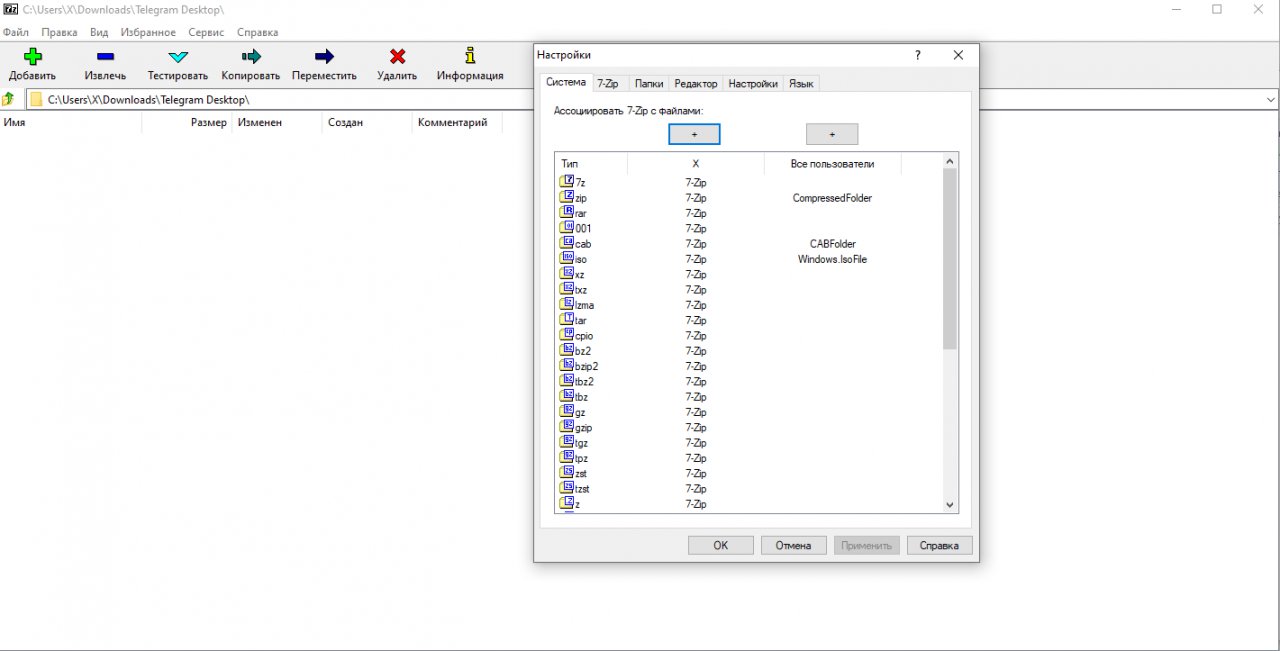
- Windows Shell Integration: Seamlessly integrates into the Windows Explorer context menu for fast archiving, extracting, and testing operations with minimal effort.
- Versatile Command-Line Version: Includes the powerful 7z command-line utility, ideal for system administration, scripting, and cross-platform automation.
- Strong AES-256 Encryption: Secures sensitive data and file headers with robust 256-bit AES encryption to protect privacy within encrypted archives.
How to Install / Run
- 1Open the built-in software catalog or package installer within your operating system.
- 2Search for 7-Zip and select the install or get option to initiate the setup process.
- 3Once the installation completes, access 7-Zip from your application menu or right-click context menu.
Advantages (Pros)
- 100% free and open-source software with no adware or registration requirements.
- Exceptional compression ratios that often outperform commercial alternatives.
- Lightweight footprint with fast extraction and compression speeds.
- Extensive compatibility with legacy and modern archive types.
Disadvantages (Cons)
- The graphical user interface looks dated and utilitarian.
- Lacks advanced native cloud integration out of the box.
Description
7-Zip is a free and open-source file archiver, a utility used to place groups of files within compressed containers known as archives. Developed by Igor Pavlov and first released in 1999, 7-Zip has become an essential tool for efficient data compression and file management. The program features its own proprietary 7z archive format introduced in 2001, which delivers exceptionally high compression ratios, while also providing full read and write support for numerous other standard formats.Users can interact with 7-Zip via a clean Windows graphical user interface featuring deep shell integration, or through a robust command-line interface using the 7z command for cross-platform workflows. Most of the 7-Zip source code is licensed under the LGPL-2.1-or-later license, though the unRAR code is subject to an unRAR restriction that prohibits developers from using the code to reverse-engineer the RAR compression algorithm.
Key Features
- Advanced Compression Algorithms: Utilizes powerful LZMA and LZMA2 compression methods within the native 7z format to achieve extremely high compression ratios.
- Comprehensive Format Support: Full capability to pack and unpack popular file formats including ZIP, TAR, GZIP, WIM, XZ, and read support for many others.
- Windows Shell Integration: Seamlessly integrates into the Windows Explorer context menu for fast archiving, extracting, and testing operations with minimal effort.
- Versatile Command-Line Version: Includes the powerful 7z command-line utility, ideal for system administration, scripting, and cross-platform automation.
- Strong AES-256 Encryption: Secures sensitive data and file headers with robust 256-bit AES encryption to protect privacy within encrypted archives.
How to Install / Run
- 1Open the built-in software catalog or package installer within your operating system.
- 2Search for 7-Zip and select the install or get option to initiate the setup process.
- 3Once the installation completes, access 7-Zip from your application menu or right-click context menu.
Advantages (Pros)
- 100% free and open-source software with no adware or registration requirements.
- Exceptional compression ratios that often outperform commercial alternatives.
- Lightweight footprint with fast extraction and compression speeds.
- Extensive compatibility with legacy and modern archive types.
Disadvantages (Cons)
- The graphical user interface looks dated and utilitarian.
- Lacks advanced native cloud integration out of the box.
Description
7-Zip is a free and open-source file archiver, a utility used to place groups of files within compressed containers known as archives. Developed by Igor Pavlov and first released in 1999, 7-Zip has become an essential tool for efficient data compression and file management. The program features its own proprietary 7z archive format introduced in 2001, which delivers exceptionally high compression ratios, while also providing full read and write support for numerous other standard formats.Users can interact with 7-Zip via a clean Windows graphical user interface featuring deep shell integration, or through a robust command-line interface using the 7z command for cross-platform workflows. Most of the 7-Zip source code is licensed under the LGPL-2.1-or-later license, though the unRAR code is subject to an unRAR restriction that prohibits developers from using the code to reverse-engineer the RAR compression algorithm.
Key Features
- Advanced Compression Algorithms: Utilizes powerful LZMA and LZMA2 compression methods within the native 7z format to achieve extremely high compression ratios.
- Comprehensive Format Support: Full capability to pack and unpack popular file formats including ZIP, TAR, GZIP, WIM, XZ, and read support for many others.
- Windows Shell Integration: Seamlessly integrates into the Windows Explorer context menu for fast archiving, extracting, and testing operations with minimal effort.
- Versatile Command-Line Version: Includes the powerful 7z command-line utility, ideal for system administration, scripting, and cross-platform automation.
- Strong AES-256 Encryption: Secures sensitive data and file headers with robust 256-bit AES encryption to protect privacy within encrypted archives.
How to Install / Run
- 1Open the built-in software catalog or package installer within your operating system.
- 2Search for 7-Zip and select the install or get option to initiate the setup process.
- 3Once the installation completes, access 7-Zip from your application menu or right-click context menu.
Advantages (Pros)
- 100% free and open-source software with no adware or registration requirements.
- Exceptional compression ratios that often outperform commercial alternatives.
- Lightweight footprint with fast extraction and compression speeds.
- Extensive compatibility with legacy and modern archive types.
Disadvantages (Cons)
- The graphical user interface looks dated and utilitarian.
- Lacks advanced native cloud integration out of the box.
LICENSE PERMISSIONS & LEGAL REFERENCE
- Public Distribution Permission: OFFICIALLY PERMITTED TO REDISTRIBUTE (100% Legal Release)
(Guaranteed rights to freely download, copy, and share in unmodified form under open-source / freeware terms). - License Model & Status: GNU Lesser General Public License v2.1 or later with unRAR restriction.
- Official Distribution Permission: Under the official 7-Zip license (LGPL-2.1-or-later), this software is free and permits unrestricted downloading and distribution.
- Official Project Homepage: https://www.7-zip.org.
- Exact License & Terms Link: https://www.gnu.org/licenses/lgpl-2.1.html.
- Official License Registry (Alternative Legal Source): https://www.gnu.org/licenses/lgpl-2.1.html.
Images
Similar / Other Versions


Technical Specifications
- DeveloperIgor Pavlov
- Release Date04.09.2026
- Operating SystemWindows11108/8.17
- Architecture64-bit (x64)
- Release FormatSetup / Installer Portable
- Languages🌍🇱🇻🇷🇺🇬🇧🇺🇦🇩🇪🇫🇷
- Official Homepage7-zip.org
- filesView (1)
System Requirements
- Processor (CPU)1 GHz or faster
- Memory (RAM)512 MB
- Free Disk Space10 MB
- Graphics Card (GPU)Standard display (No dedicated GPU required)
Rating
None
Said thanks
📢 Advertisement[+]
VPNMost people overpay for a VPN without realising it. CometVPN starts from just $1.89/month — same privacy, same security, same speeds as the big names. Just without the big price tag.Your text ad here!Grab this spot using your accumulated balance and get noticed.Want to be seen by everyone?Place your ad here using your site balance! The perfect spot to promote your releases, clan, or links.
+ Add your advertisement
📂 files (1)
×
| Path | Size |
|---|---|
| 7z2603-x64.exe | 1.58 MB |
❮
×
![]()
❯
Share on Facebook
Choose the image you want to see in your Facebook post:
Choose which image you want to see in your Facebook post and click "Share this image":
 Screenshot 1
 Screenshot 2
 Screenshot 3
 Screenshot 4
Facebook will automatically load the selected image in your post preview!
Facebook will automatically load the chosen image in the post preview.
🌐 All Supported Languages 61
🇿🇦
Afrikaans
AF
🇦🇱
Albanian
Shqip
SQ
🇸🇦
Arabic
العربية
AR
🇦🇲
Armenian
Հայերեն
HY
🇦🇿
Azerbaijani
Azərbaycan dili
AZ
🇪🇸
Basque
Euskara
EU
🇧🇾
Belarusian
Беларуская
BE
🇧🇩
Bengali
বাংলা
BN
🇧🇦
Bosnian
Bosanski
BS
🇧🇬
Bulgarian
Български
BG
🇪🇸
Catalan
Català
CA
🇨🇳
Chinese (Simplified)
简体中文
ZH-CN
🇹🇼
Chinese (Traditional)
繁體中文
ZH-TW
🇭🇷
Croatian
Hrvatski
HR
🇨🇿
Czech
Čeština
CS
🇩🇰
Danish
Dansk
DA
🇳🇱
Dutch
Nederlands
NL
🇬🇧
English
EN
🟢
Esperanto
EO
🇪🇪
Estonian
Eesti
ET
🇫🇮
Finnish
Suomi
FI
🇫🇷
French
Français
FR
🇪🇸
Galician
Galego
GL
🇬🇪
Georgian
ქართული
KA
🇩🇪
German
Deutsch
DE
🇬🇷
Greek
Ελληνικά
EL
🇮🇱
Hebrew
עברית
HE
🇮🇳
Hindi
हिन्दी
HI
🇭🇺
Hungarian
Magyar
HU
🇮🇸
Icelandic
Íslenska
IS
🇮🇩
Indonesian
Bahasa Indonesia
ID
🇮🇹
Italian
Italiano
IT
🇯🇵
Japanese
日本語
JA
🇰🇷
Korean
한국어
KO
🇹🇷
Kurdish
Kurdî
KU
🇱🇻
Latvian
Latviešu
LV
🇱🇹
Lithuanian
Lietuvių
LT
🇲🇰
Macedonian
Македонски
MK
🇲🇾
Malay
Bahasa Melayu
MS
🇮🇳
Marathi
मराठी
MR
🇲🇳
Mongolian
Монгол
MN
🇳🇵
Nepali
नेपाली
NE
🇳🇴
Norwegian
Norsk
NO
🇮🇷
Persian
فارسی
FA
🇵🇱
Polish
Polski
PL
🇧🇷
Portuguese (Brazil)
Português (Brasil)
PT-BR
🇵🇹
Portuguese
Português
PT
🇷🇴
Romanian
Română
RO
🇷🇺
Russian
Русский
RU
🇷🇸
Serbian
Српски
SR
🇸🇰
Slovak
Slovenčina
SK
🇸🇮
Slovenian
Slovenščina
SL
🇪🇸
Spanish
Español
ES
🇸🇪
Swedish
Svenska
SV
🇮🇳
Tamil
தமிழ்
TA
🇹🇭
Thai
ไทย
TH
🇹🇷
Turkish
Türkçe
TR
🇺🇦
Ukrainian
Українська
UK
🇺🇿
Uzbek
Oʻzbekcha
UZ
🇻🇳
Vietnamese
Tiếng Việt
VI
🇬🇧
Welsh
Cymraeg
CY
No matching languages found
Total supported languages: 61